How to Embed Lovable AI Web App in Shopify?

I will show you how to embed your Lovable AI web app into Shopify.
This lets you run your AI tool directly on your Shopify store as a section inside your site.
Your visitors can access and use the app directly on your store.
Theme setup
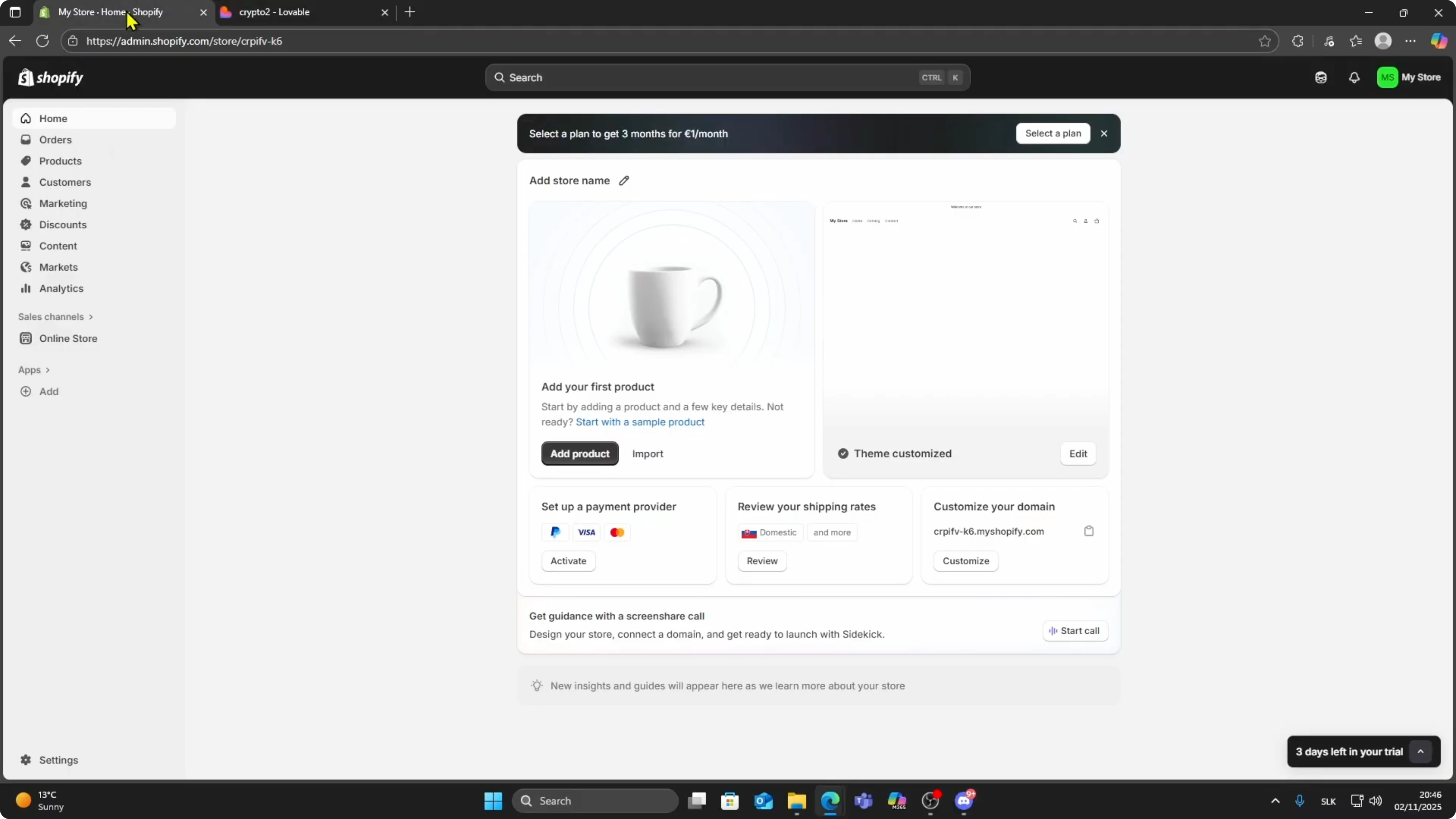
Go to your Shopify dashboard.
On the left menu, click Online Store, then select Themes.
Find your active theme and click Customize on the right side.
Choose the location
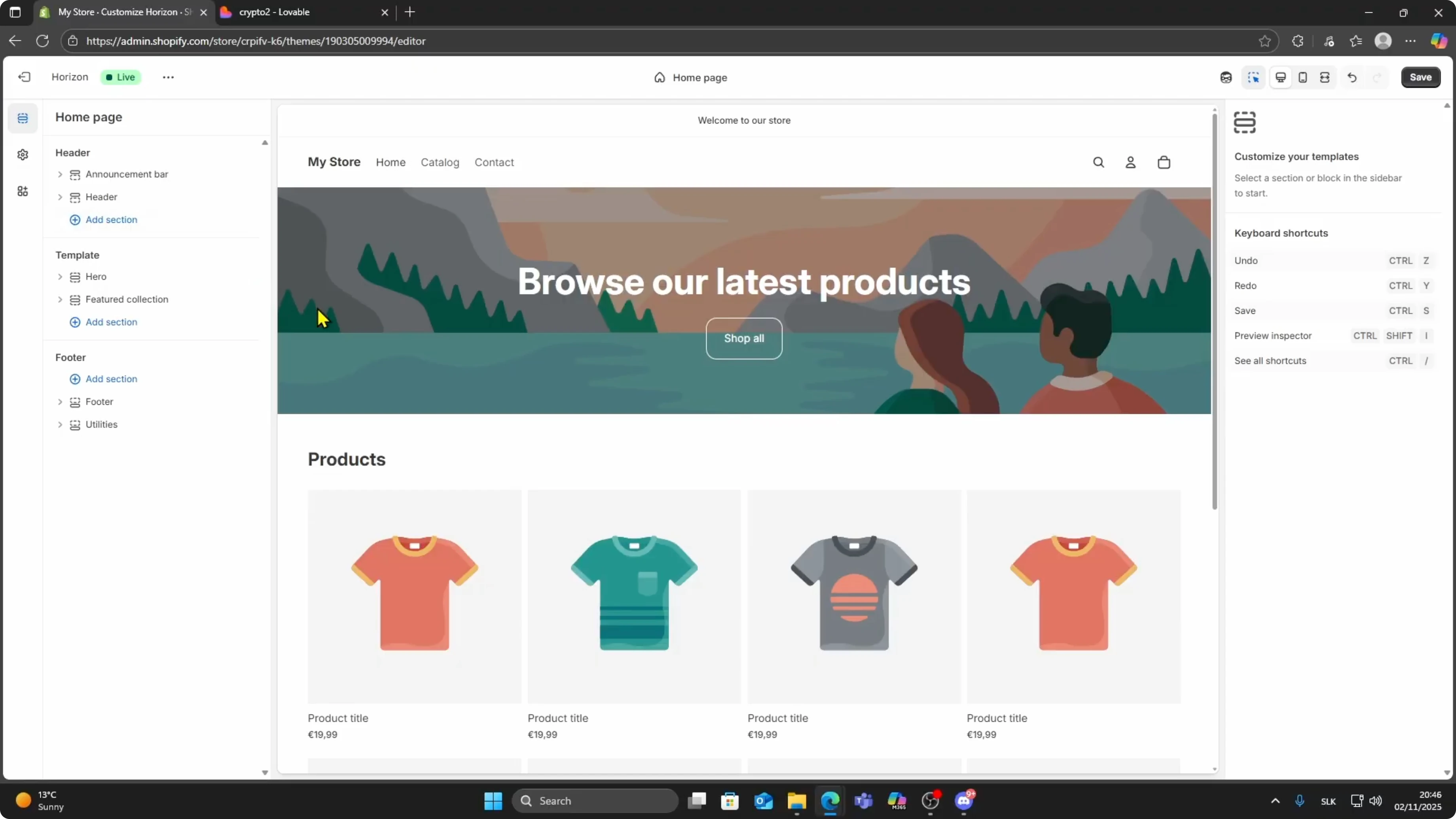
Inside the theme editor, choose where you want to place your app.
You can add it to your homepage or any other page section.
Pick the page or template where the app should appear.
Read More: How To Embed Lovable App Into Wordpress
Add custom liquid
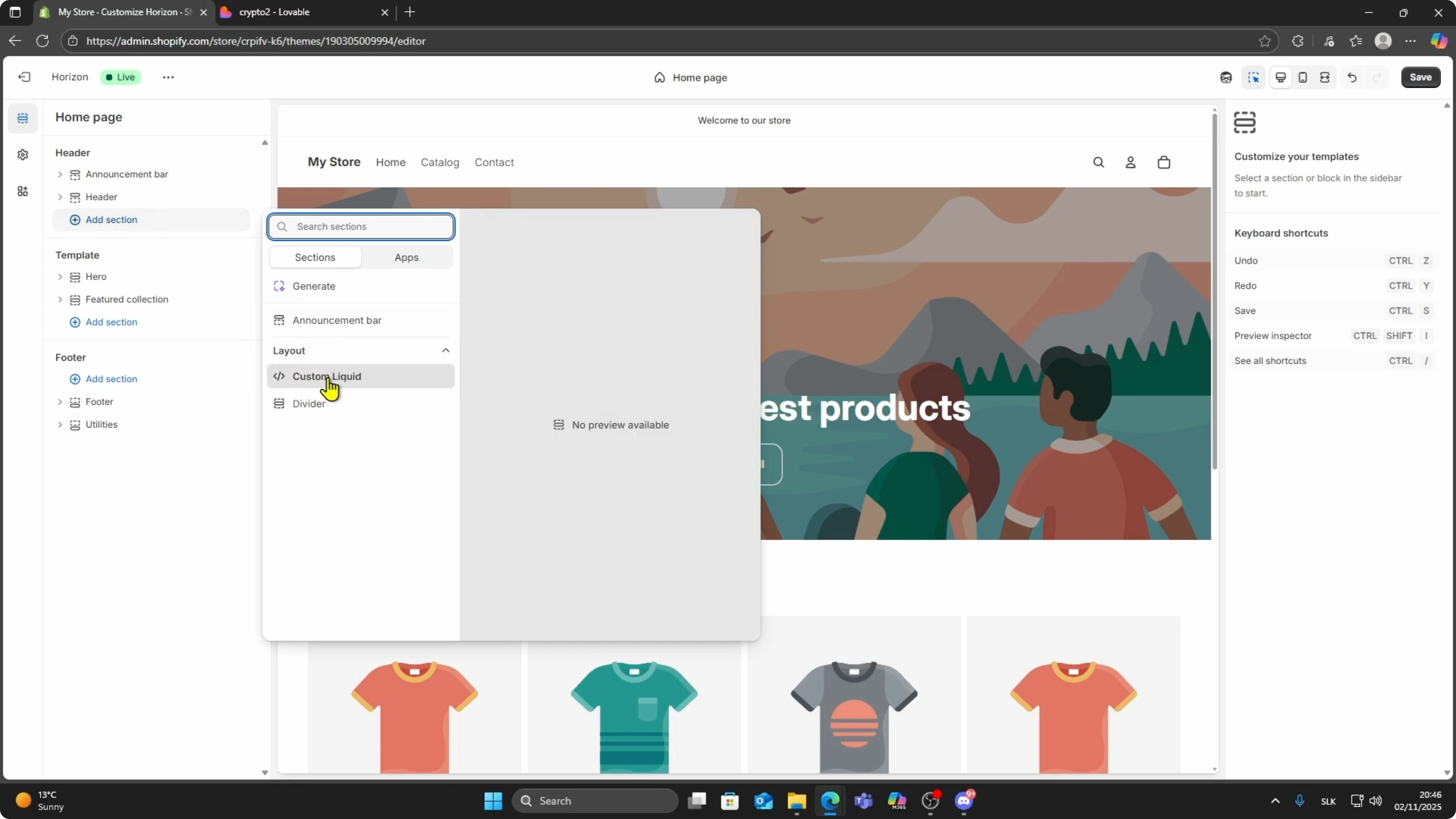
Click Add section.
Scroll down to Layout and choose Custom liquid.
On the right side, you will see a blank field where you can paste the embed code.
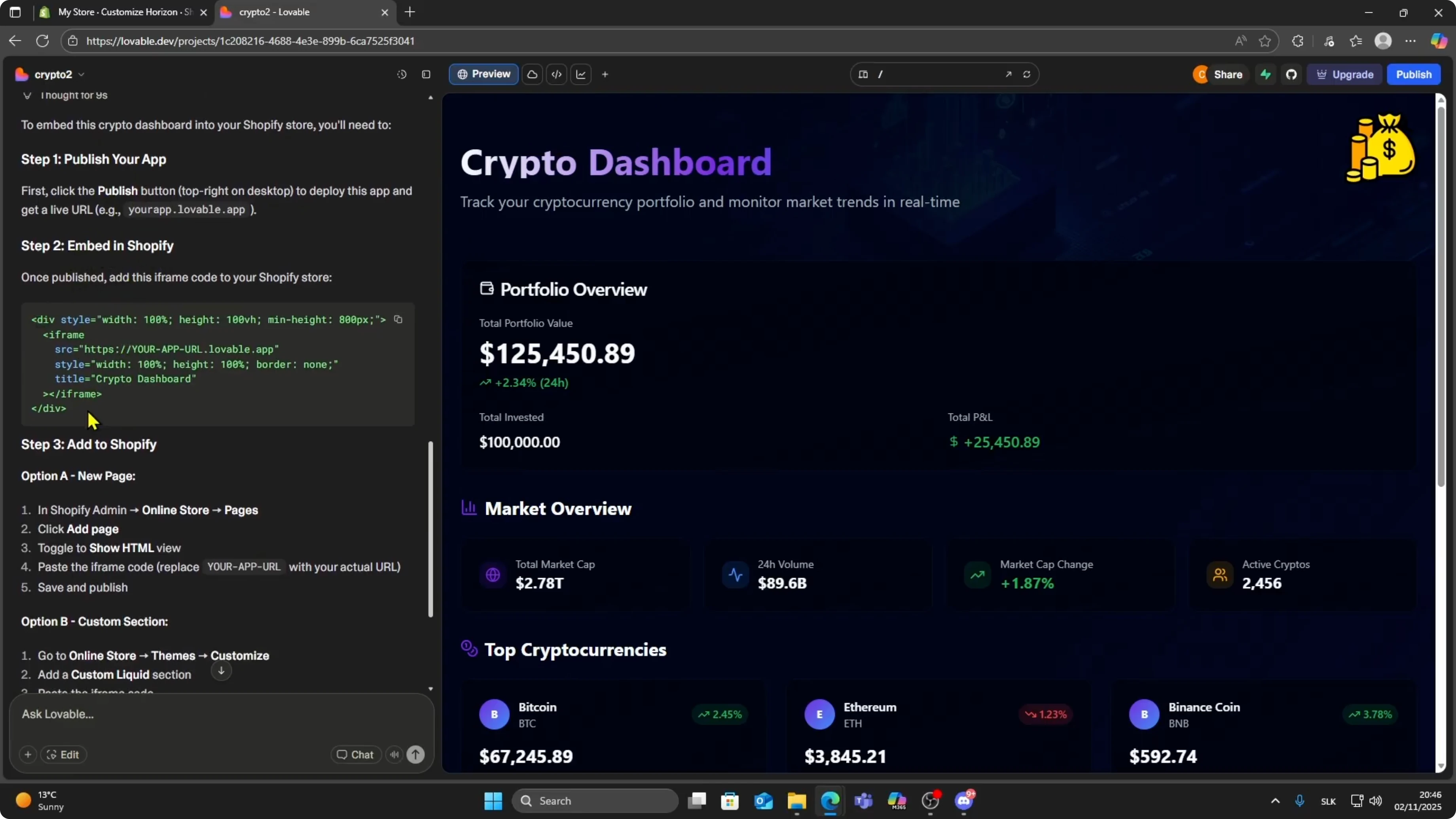
Get the Lovable code
Inside Lovable, ask it to generate an embed code for Shopify.
Copy the code Lovable gives you.
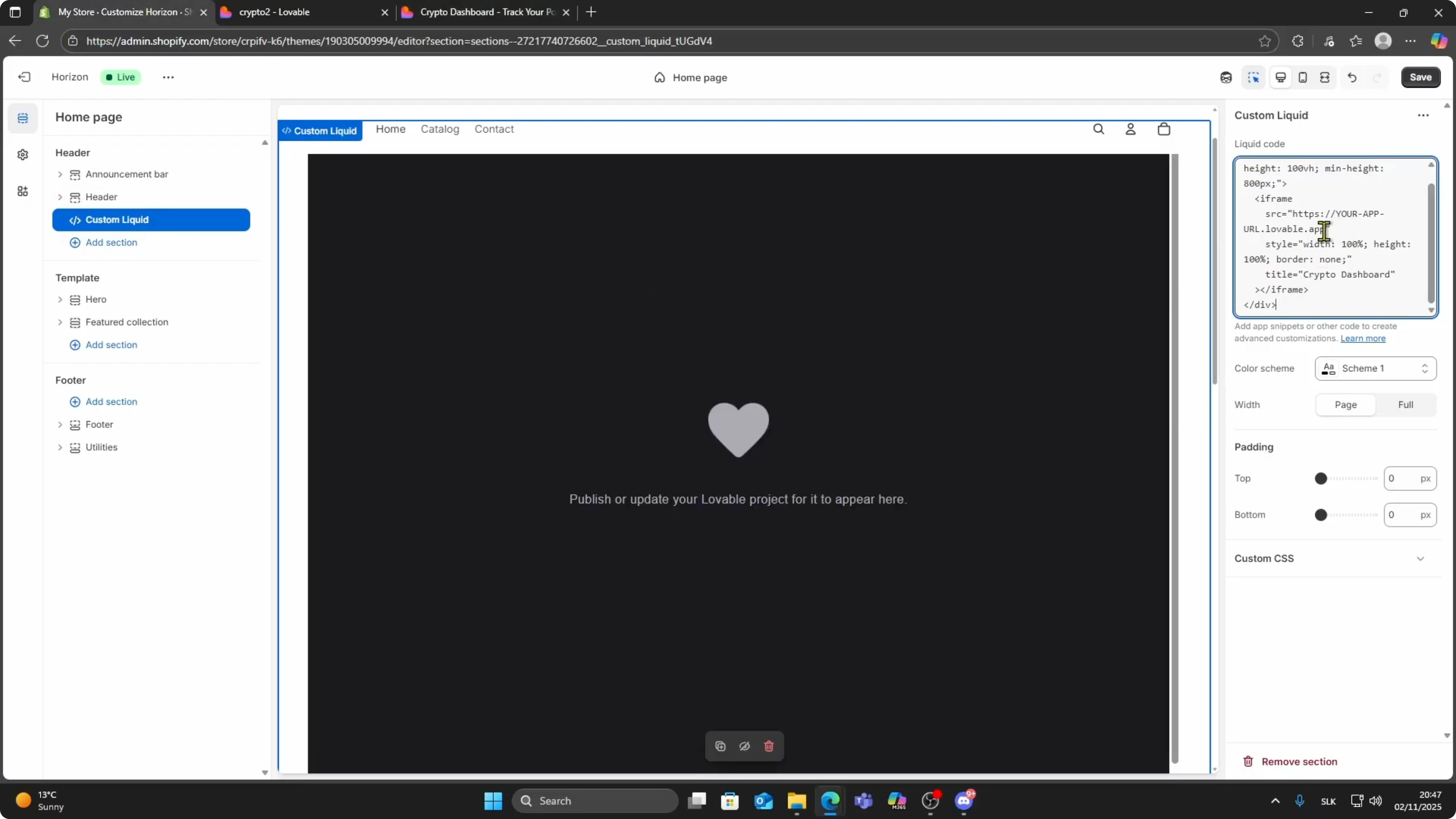
Return to Shopify and paste it inside the Custom liquid box.
Read More: How To Connect Stripe To Lovable Ai App
Publish and link
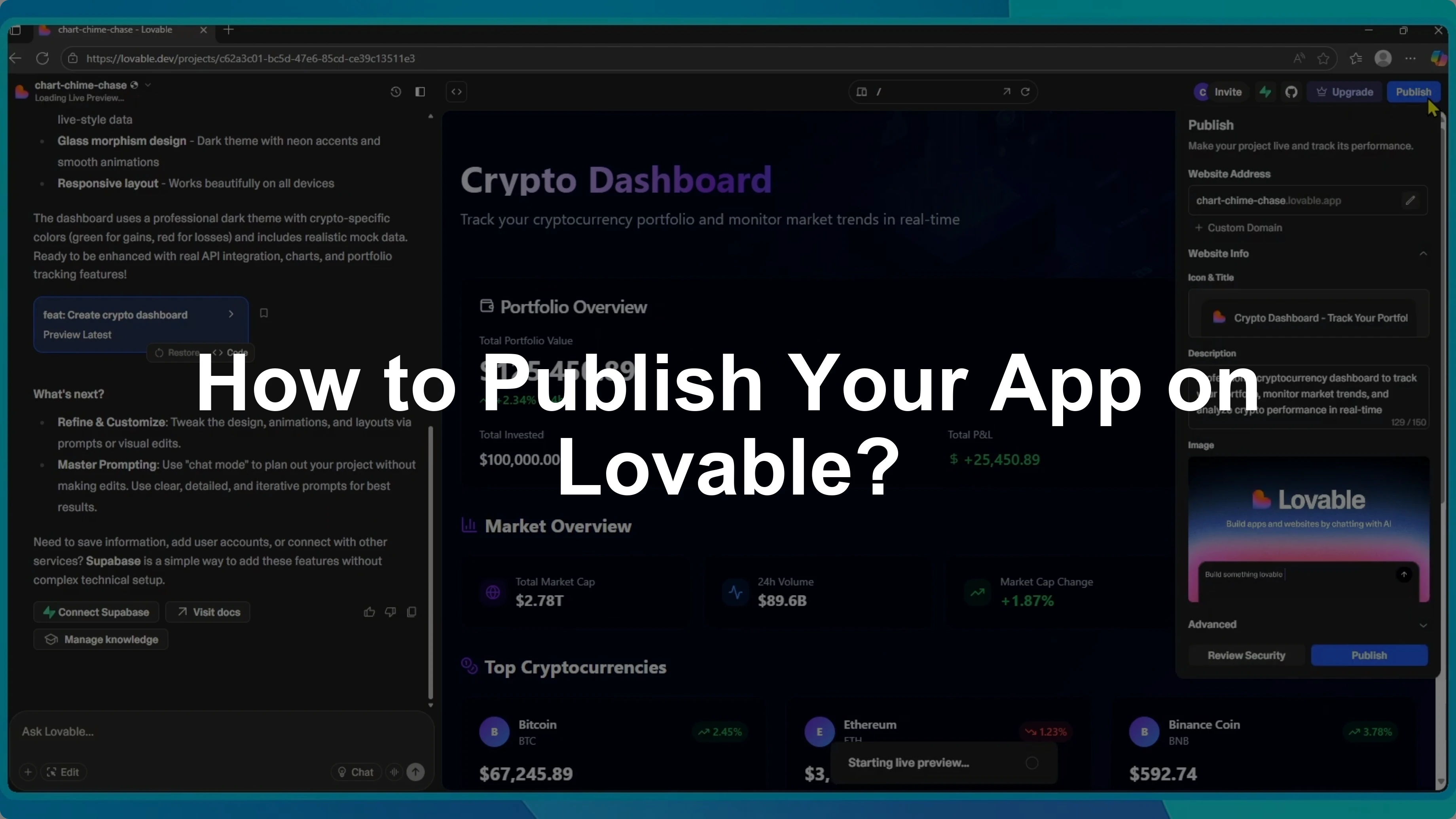
Go to Lovable.
Make sure your app is published.
If it is not published yet, click Publish.
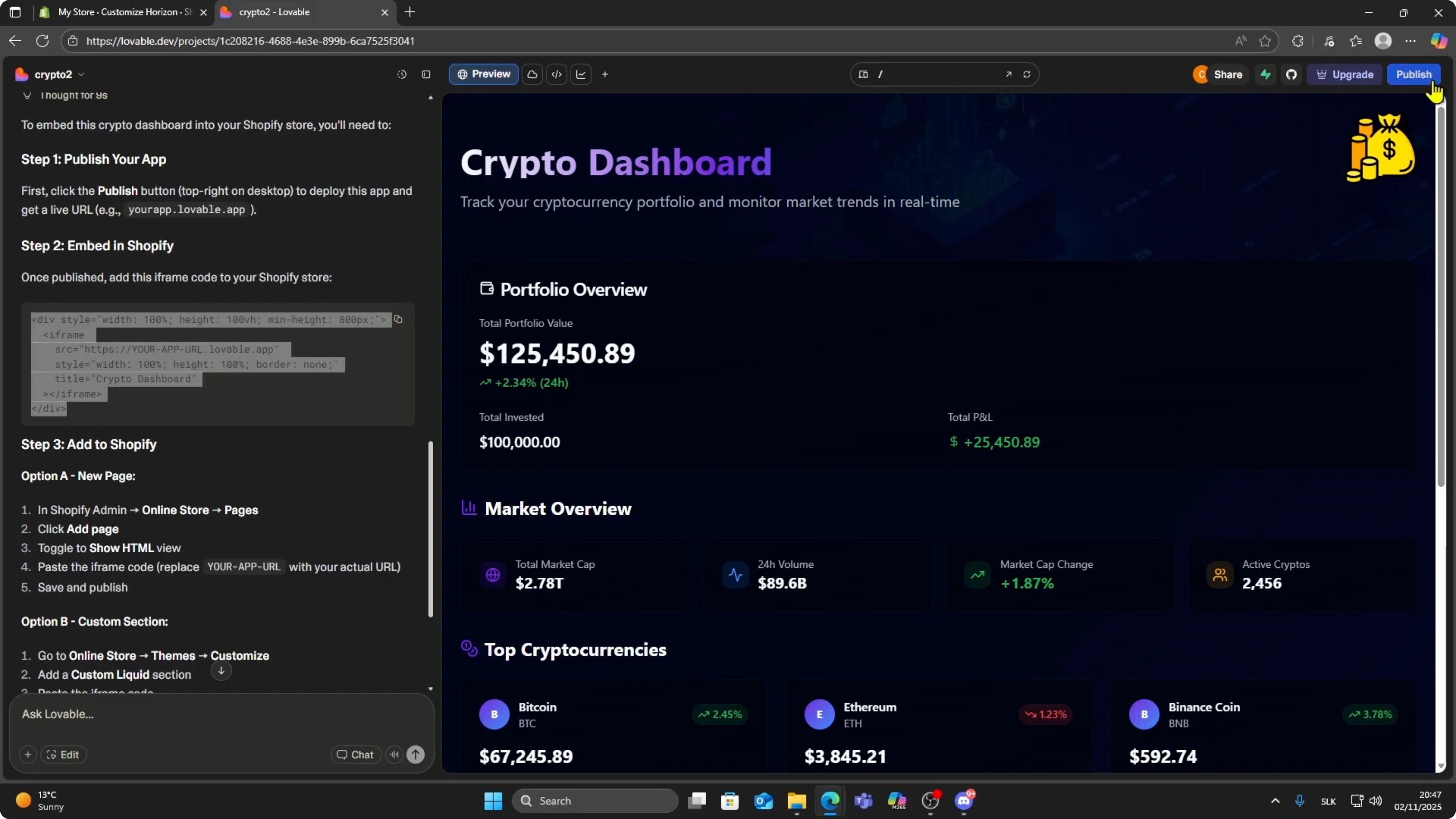
Once it is live, open your live app and copy the URL from the browser bar.
Go back to Shopify and replace the URL between the quotation marks with the link to your live Lovable app.
Replace the URL between the quotation marks and confirm it matches your live app.

Example embed code
Paste this into the Custom liquid field, then replace the src with your live Lovable app URL.
You can adjust height if your app needs more space.
Keep the border style set to zero if you want a clean frame.
<!-- Custom liquid content -->
<iframe
  src="https://your-lovable-app-url.example.com"
  width="100%"
  height="900"
  style="border:0;"
  loading="lazy"
  allow="clipboard-write; microphone; camera"
></iframe>
Preview and save
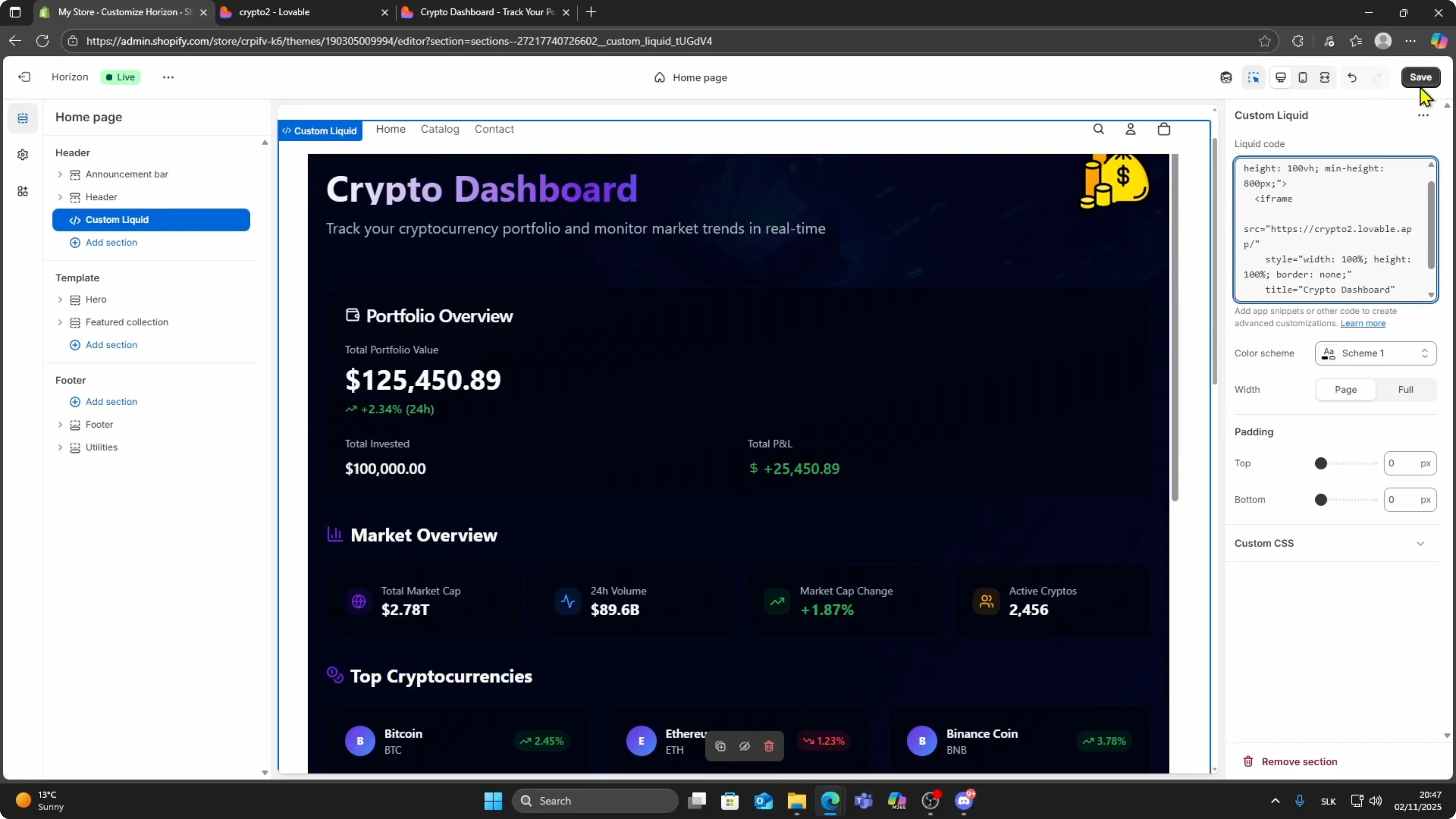
After pasting and updating the URL, you should see your Lovable app load automatically inside the editor.
Click Save to apply the changes.
Your app is now live inside your Shopify theme section.
Read More: How To Convert Lovable Web App To Ios App
Final thoughts
That is how you embed your Lovable AI web app into Shopify.
You control the placement using the theme editor, and the Custom liquid section renders your live app through an iframe.
Keep your app published in Lovable and update the URL in Shopify any time your live link changes.