OnSpace Mobile App Builder: How AI Makes App Creation?
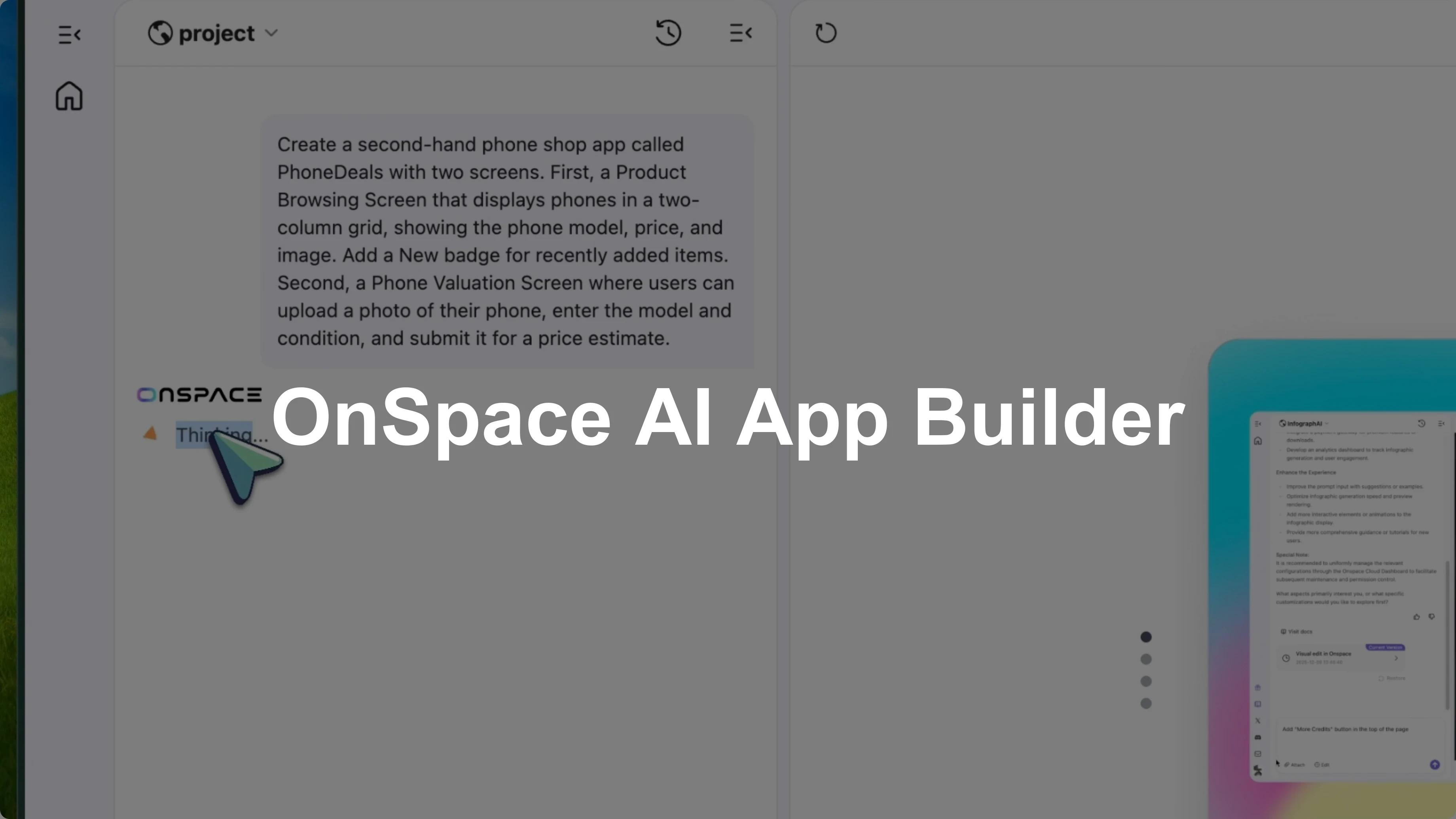
Some people have already used AI to boost their work. I want to show how startups and small businesses can build apps that are fully customized to the way they actually work. Imagine you own a secondhand mobile phone shop and want a simple app where customers can browse and buy directly from you.
I am using OnSpace. It is an AI powered no-code platform that lets you build native mobile apps just by describing what you want. No coding, no React Native setup, no dealing with Xcode or Android Studio.
You just tell it what you need and it builds it for you. For this phone shop app, I want two main screens to solve the two main things we just mentioned. A product browsing screen and a phone valuation screen.
OnSpace Mobile App Builder: setup
Head to the OnSpace site and sign up for an account. Once you are in, you will see the main dashboard with a chat interface. This is where you describe your app idea in plain English.
For the phone shop app, I want two main screens. A product browsing screen where customers can see all the phones available for sale. A phone valuation screen where people can upload details about their phone to get an estimated trade in price.
This lets users check what is new in their spare time. Nobody has time or interest to come to the store all the time. Our shop owner also gets information about what kinds of products are owned by neighbors.
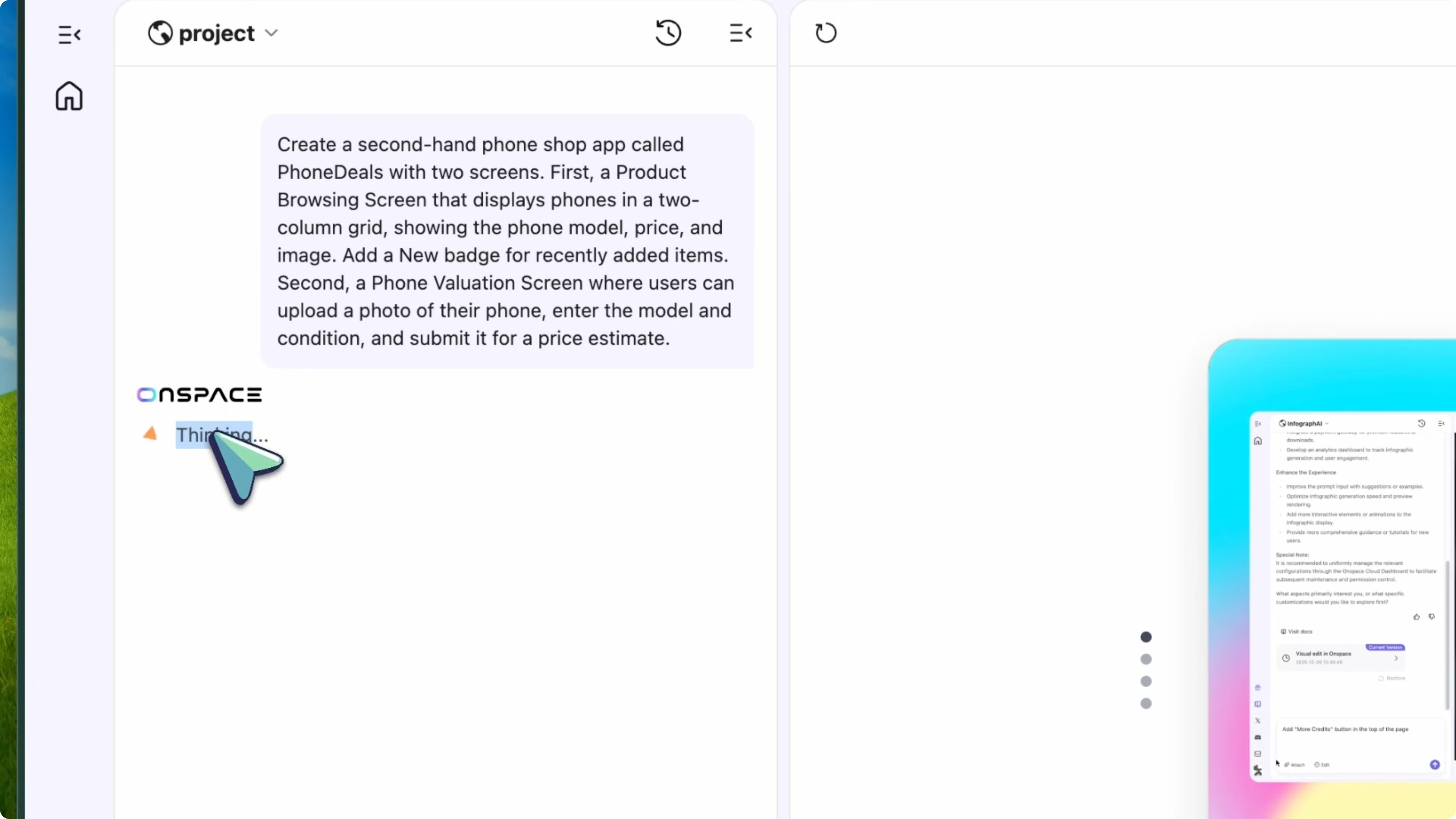
Here is exactly what I type to start:
Create a secondhand phone shop app called "Phone Deals" with two screens.
First, a product browsing screen that displays phones in a two-column grid showing the phone model, price, and image. Add a "NEW" badge for recently added items.
Second, a phone valuation screen where users can upload a photo of their phone, enter the model and condition, and submit it for a price estimate.
Click generate and OnSpace starts building the app. After about a minute, the app is ready. On the right side, you can see the preview.
Read More: Deepsite V3 Ai Coder
How AI Makes App Creation: idea to UI
The product browsing screen looks clean. It has a two column grid with phones displayed in cards. Each card shows the phone image, model name, and price.
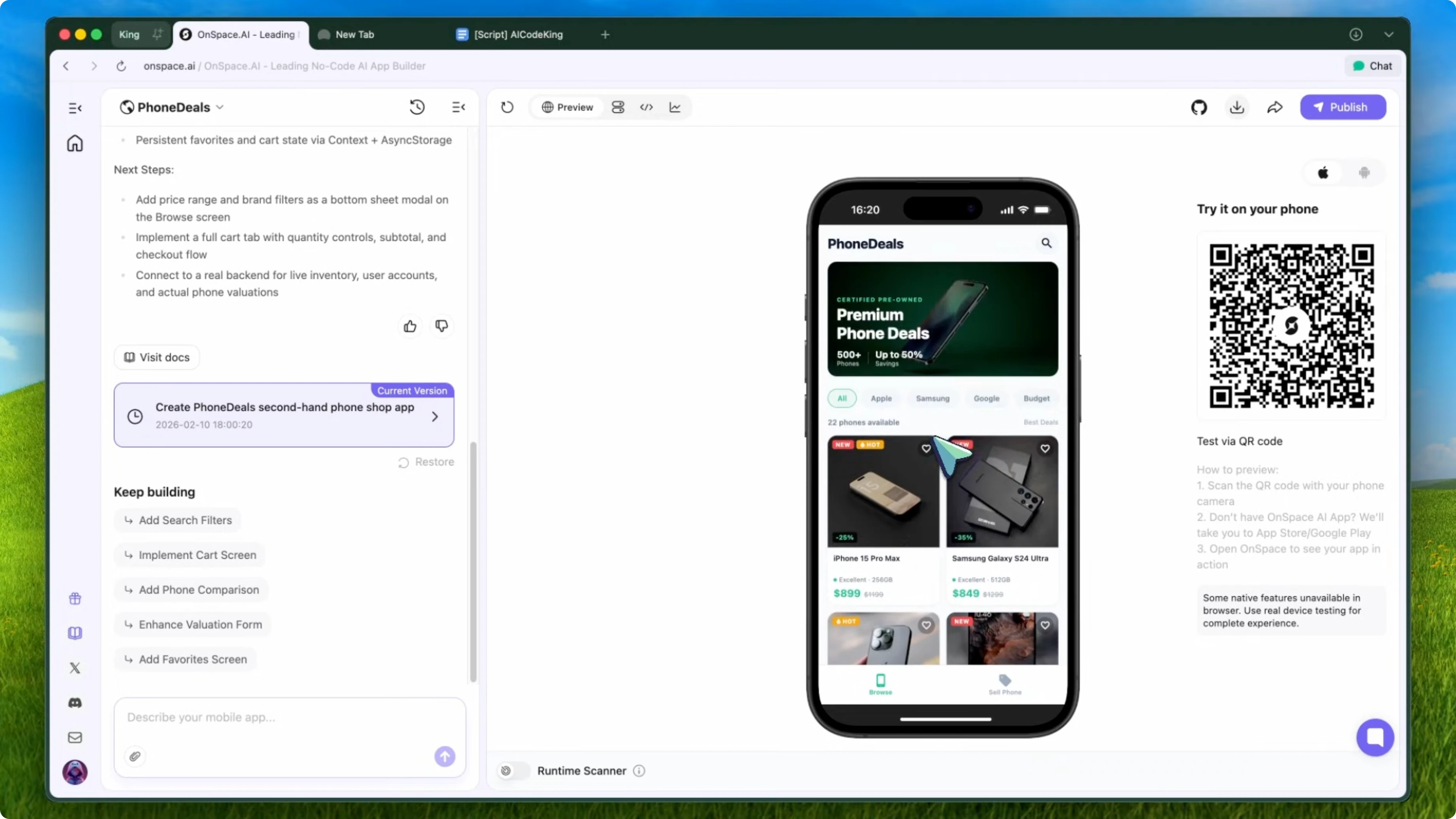
Some items have the NEW badge, which shows recently added inventory. Tapping on any phone shows more details. It feels ready for real data.
OnSpace Mobile App Builder: database with Spaces
For this to work with real data, I need a backend. I enable Spaces, which is OnSpace's built-in serverless backend. Normally you would set up Supabase or Firebase, configure tables, and handle authentication.
OnSpace does all of that natively. Here is the prompt I use to wire up the browsing screen to a cloud database:
Connect the product browsing screen to a Spaces database.
Create a "phones" table with columns for model_name, price, image_url, condition, storage_capacity, and a boolean "is_new_arrival".
Display all phones from this database on the browsing screen.
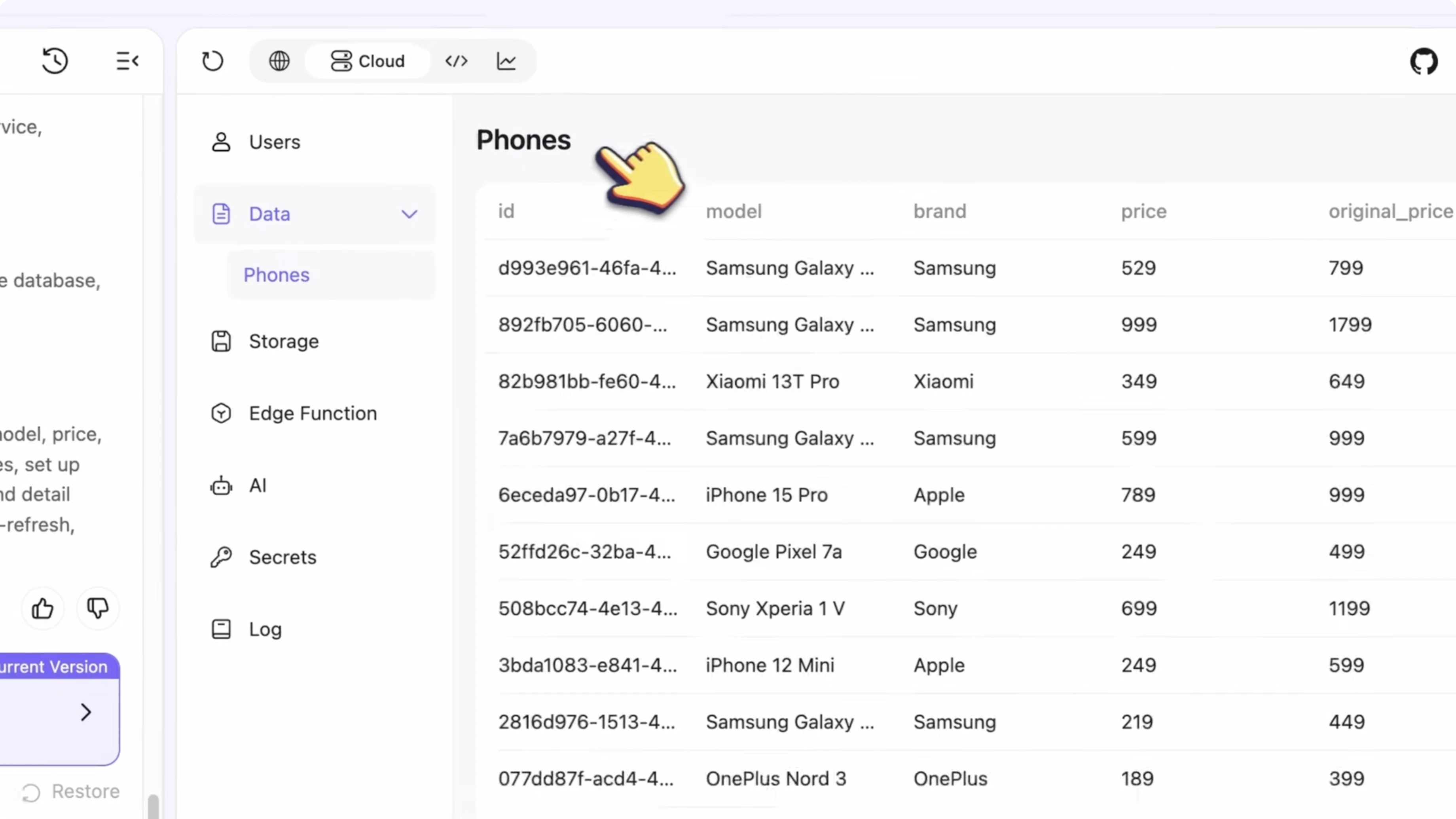
It processes and creates the database automatically. I add some test data through the Spaces dashboard. I add an iPhone 14 Pro for $650, a Samsung Galaxy S23 for $480, and a Google Pixel 8 for $520.
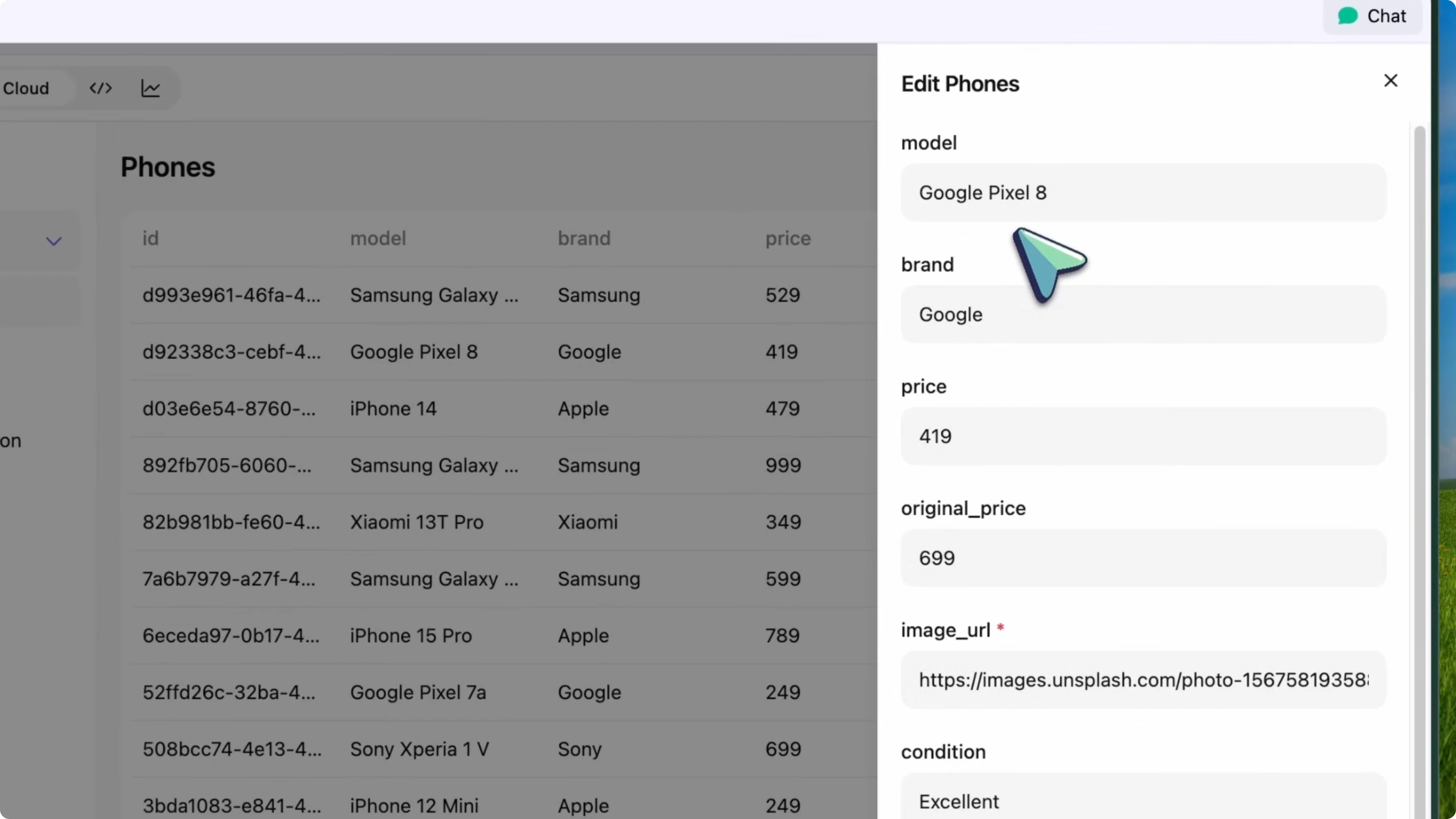
I mark the Pixel as a new arrival. Going back to the app preview, I refresh and there we go. All the phones are pulling from the cloud.
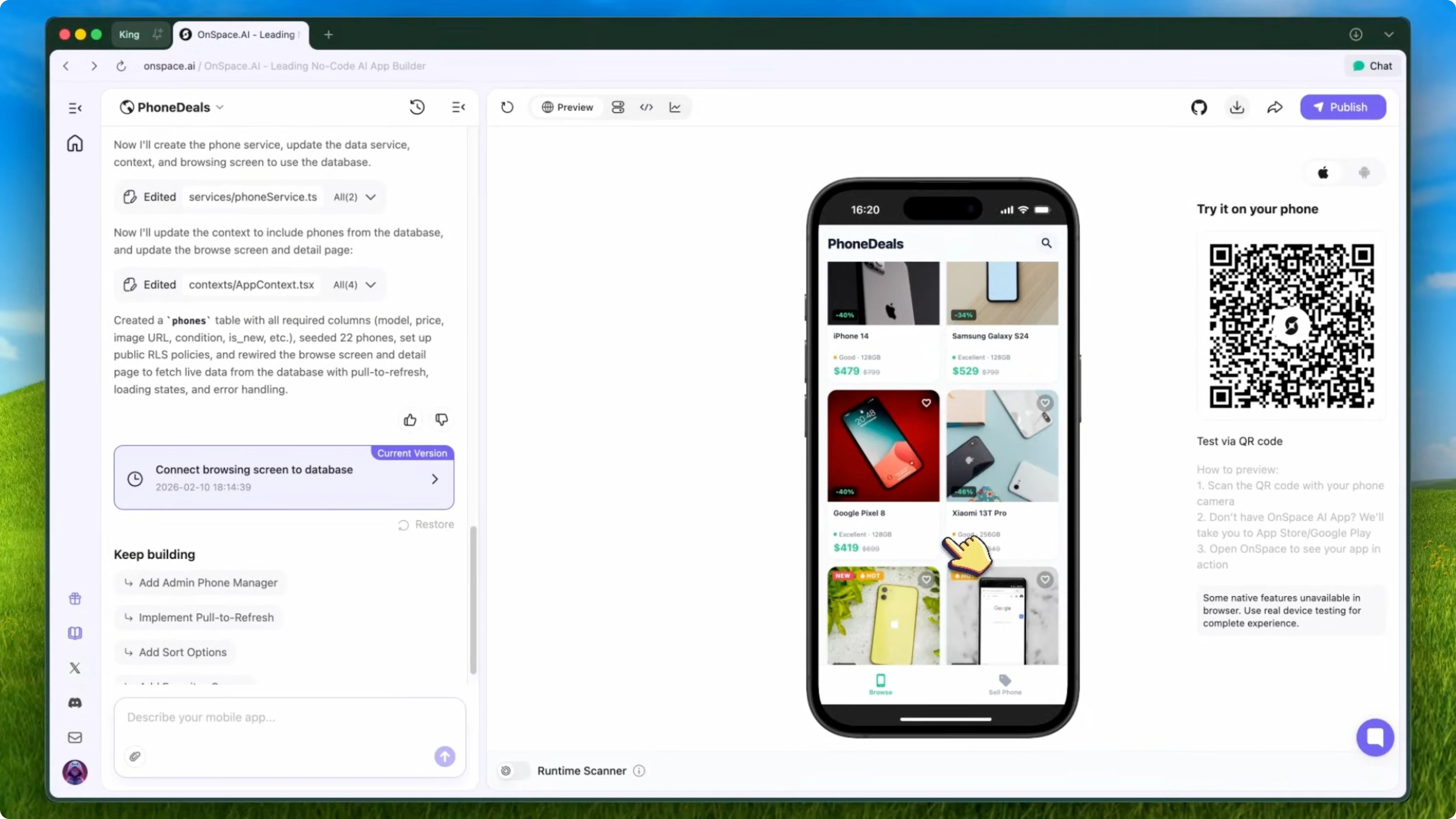
The Pixel has the NEW badge. When I tap on the iPhone, I see the full details, including the condition and storage capacity. It is exactly what I need.
Read More: Sitemap Builder
How AI Makes App Creation: valuation screen
Next, I build the phone valuation screen. I want users to upload a photo, pick brand and model, rate condition, and leave contact info. Here is the prompt I send:
Create the phone valuation screen with an image upload button so users can take or upload a photo of their phone.
Add drop-down menus for selecting the brand and model.
Add a slider for rating the phone's condition from 1 to 10.
Add fields for the user's name and phone number.
Include a submit button that saves the request to an "evaluations" table in the database.
OnSpace updates the app. The valuation screen shows a clean form with all the fields we need. When users hit submit, the request gets saved to the cloud.
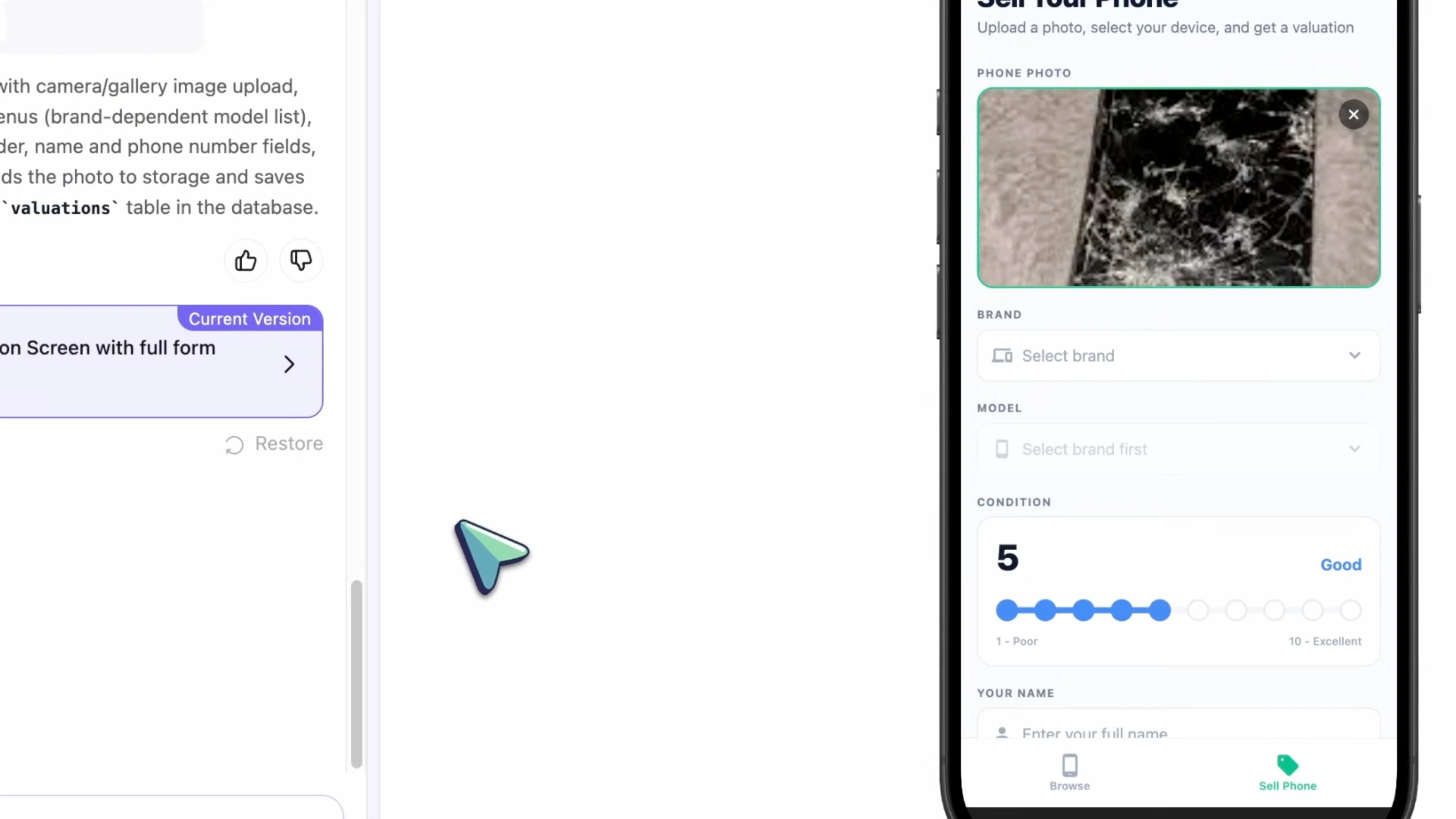
On the back end, I can see all the valuation requests coming in through the Spaces dashboard. I can review each submission, see the uploaded photo, check the condition rating, and then contact the customer with an offer. This makes the whole trade-in process much smoother.
OnSpace Mobile App Builder: style polish
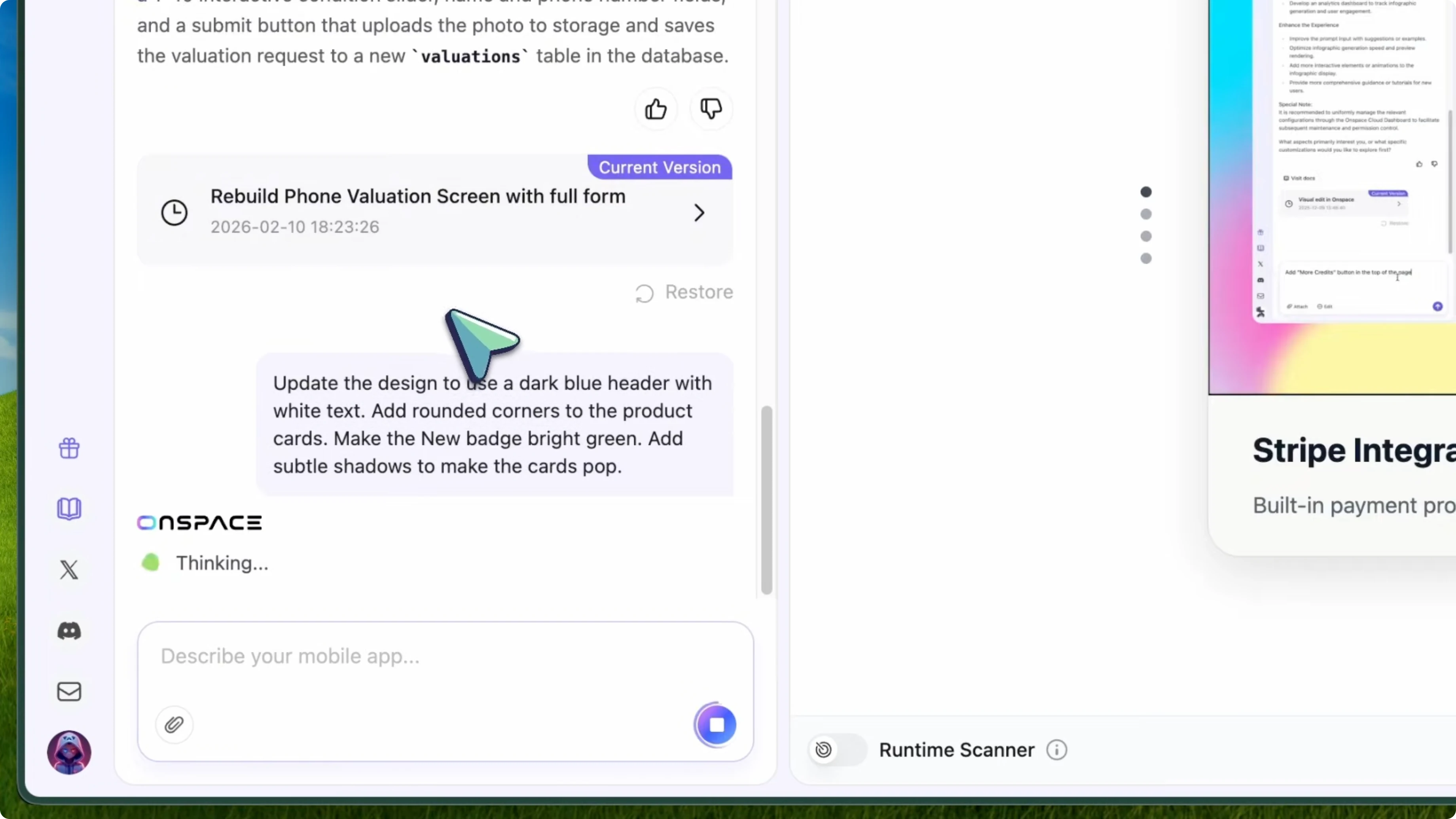
I want the UI to look more refined. I update the theme, badges, and card styles with a quick prompt. Here is exactly what I type:
Update the design to use a dark blue header with white text.
Add rounded corners to the product cards.
Make the "NEW" badge bright green.
Add subtle shadows to make the cards pop.
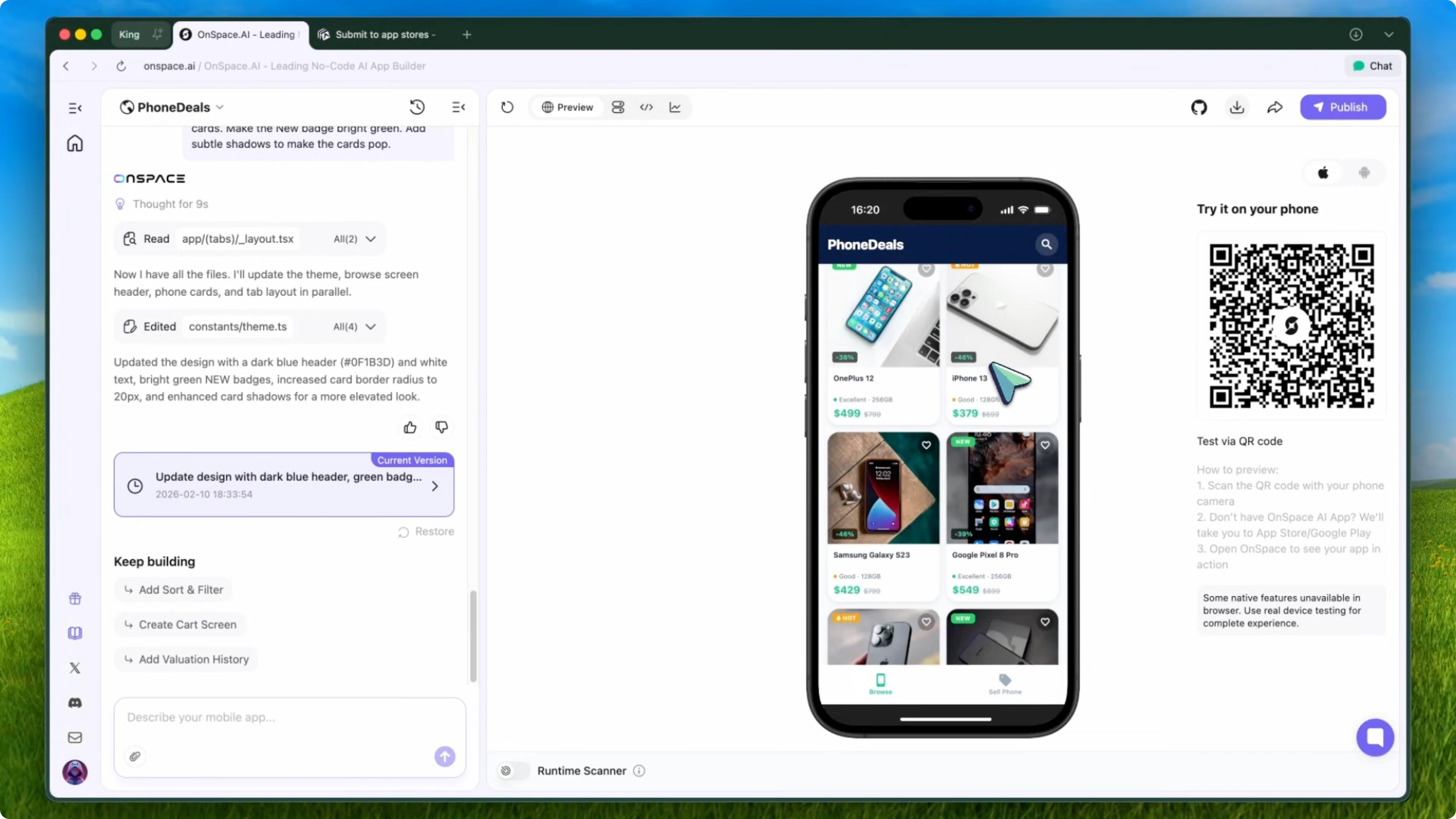
OnSpace regenerates the styling. The app now looks like something you would actually download from the Play Store. It feels ready for the public.
How AI Makes App Creation: publish and share
Once you are happy with your app, you can deploy it. Click the publish button and OnSpace lets you download the APK immediately. You can share this directly with customers.
Have them scan a QR code and install it on their phone. If you want to go further, you can generate the AAB file for the Google Play Store or prepare a build for the App Store. For a local business, just distributing the APK works perfectly fine.
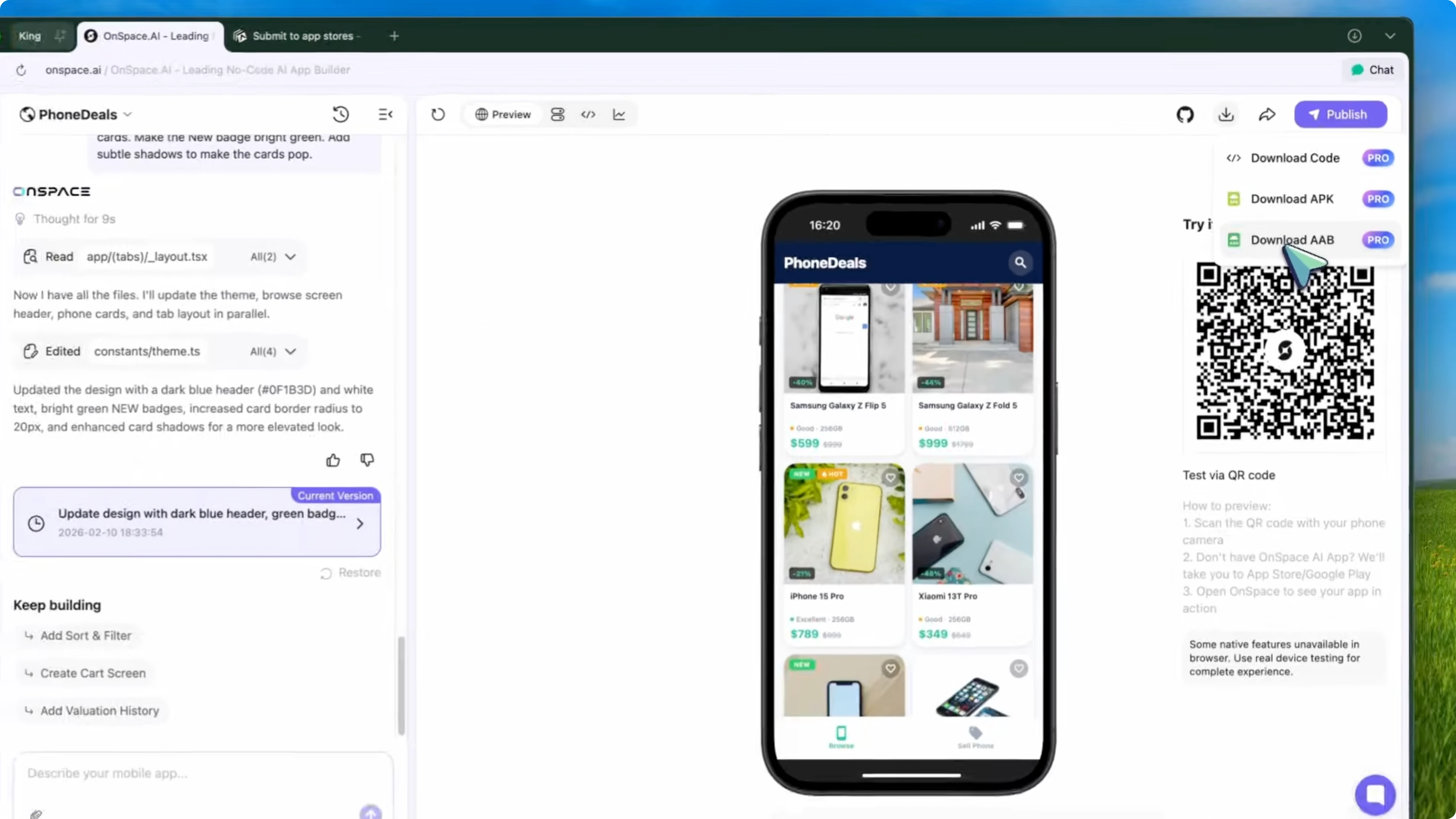
Our smart shop owner does not need people outside the neighborhood to download the app. He downloads the APK file, converts it into a scan-to-install QR code, and puts it on the window and the counter. Give everyone who stops by a small gift like candy or a coupon to encourage installs and registrations.
Read More: Disable Ai Google Chrome
OnSpace Mobile App Builder: quick start steps
Sign up for an OnSpace account and open the chat dashboard.
Describe your app idea in plain English, including screens and data you want.
Generate the initial app and preview the browsing screen.
Enable Spaces to add the built-in backend.
Connect your browsing screen to a database and define your tables.
Add test data in the Spaces dashboard and refresh the preview.
Create the phone valuation screen with image upload, drop-downs, slider, and contact fields.
Save submissions to an evaluations table and verify entries in the dashboard.
Polish the design with theme, badge, and card updates.
Publish the app to get an APK for instant sharing.
Optionally generate an AAB for the Google Play Store or prepare an iOS build.
Share via QR code at your shop and invite customers to install and register.
How AI Makes App Creation: why this matters
In about 10 minutes, I built a fully functional phone shop app with product browsing, a cloud database, filtering, and a trade in valuation form. No code at all. It is practical and fast.
If you run a small business like a phone shop, a clothing store, or anything else with inventory, you can use something like this to let customers browse your products anytime. They can check what is available while they are on the bus or during lunch. When something catches their eye, they come to your shop.
It is a simple way to boost sales without building a complicated e-commerce site. I highly recommend giving this a try. It is free to start.
Final thoughts
OnSpace makes it easy to describe what you need and get a real mobile app with APK and AAB builds. The built-in Spaces backend removes the usual setup pain. For local shops, the browse-and-valuation flow is a perfect fit.


