Why Kimi K2.5 Outperforms Clawdbot with Opus?
Kimi K2.5 just became the number one most used model for OpenClaw on OpenRouter. If you don’t know what OpenClaw is, this combination is actually really interesting. This is a way to get an AI agent that actually does stuff for you running on one of the most capable open-source models out there.
OpenClaw is that open-source AI agent that went viral a few months back. You might know it from its previous names, Claudebot and then Maltbot. It’s essentially a personal AI assistant that can run tasks for you through messaging apps like WhatsApp, Telegram, Slack, Signal, and a bunch of others.
When I say tasks, I mean real tasks. It can clear your inbox, send emails, manage your calendar, check you in for flights, book travel, and even do things like debugging code and deploying updates. The tagline is literally the AI that actually does things, which is pretty accurate to be honest.
The cool part is that it’s model agnostic. You can bring your own API keys and use whatever model you want. Claude, GPT, Gemini, local models, whatever.
But here’s the thing. Kimi K2.5 has now become the default choice for a lot of people using OpenClaw and there’s a good reason for that. Kimi K2.5 made by Moonshot AI is a 1 trillion parameter mixture of experts model, but it only activates 32 billion parameters per request which makes it super efficient.
It was released in January 2026 and it’s completely open source under the MIT license which means you can use it for whatever you want commercial or otherwise. What makes Kimi K2.5 particularly good for agents is something called agent swarm technology. This lets the model spin up to 100 sub-agents that can execute up to 1,500 tool calls in parallel.
They claim this gives you about 4.5 times faster execution compared to regular sequential agent approaches. For something like OpenClaw that needs to handle multiple tasks at once, this is exactly what you want. It’s also natively multimodal.
Moonshot trained it on 15 trillion tokens, mixing visual and text data together from the start. Vision and language capabilities develop together rather than being separate features bolted on later. This is great because OpenClaw often needs to deal with screenshots, documents, and visual stuff when automating tasks.
Why Kimi K2.5 Outperforms Clawdbot with Opus?
Fit for real tasks
The agent swarm parallel execution is basically built for this use case. When OpenClaw needs to check your email, update your calendar, and send a message all at once, having parallel sub-agents is a huge advantage. The model benchmarks really well on agentic tasks too.
On BrowseComp, which tests web browsing capabilities, Kimi K2.5 scores 74.9 percent compared to GPT 5.2’s 59.2 percent. For an agent that needs to navigate websites and interact with web apps, that matters a lot. It’s open-source, so you can run it locally if you want full privacy or use the API if you want convenience.
For more Opus context, see our GLM 5 review. OpenClaw is built to be privacy focused and model agnostic. Having a strong open-source option that works natively is exactly what a lot of users wanted.
Quick setup
OpenClaw now natively supports Kimi K2.5, which means the setup is way simpler than it used to be. That’s the big news here. Here’s how to get it running.
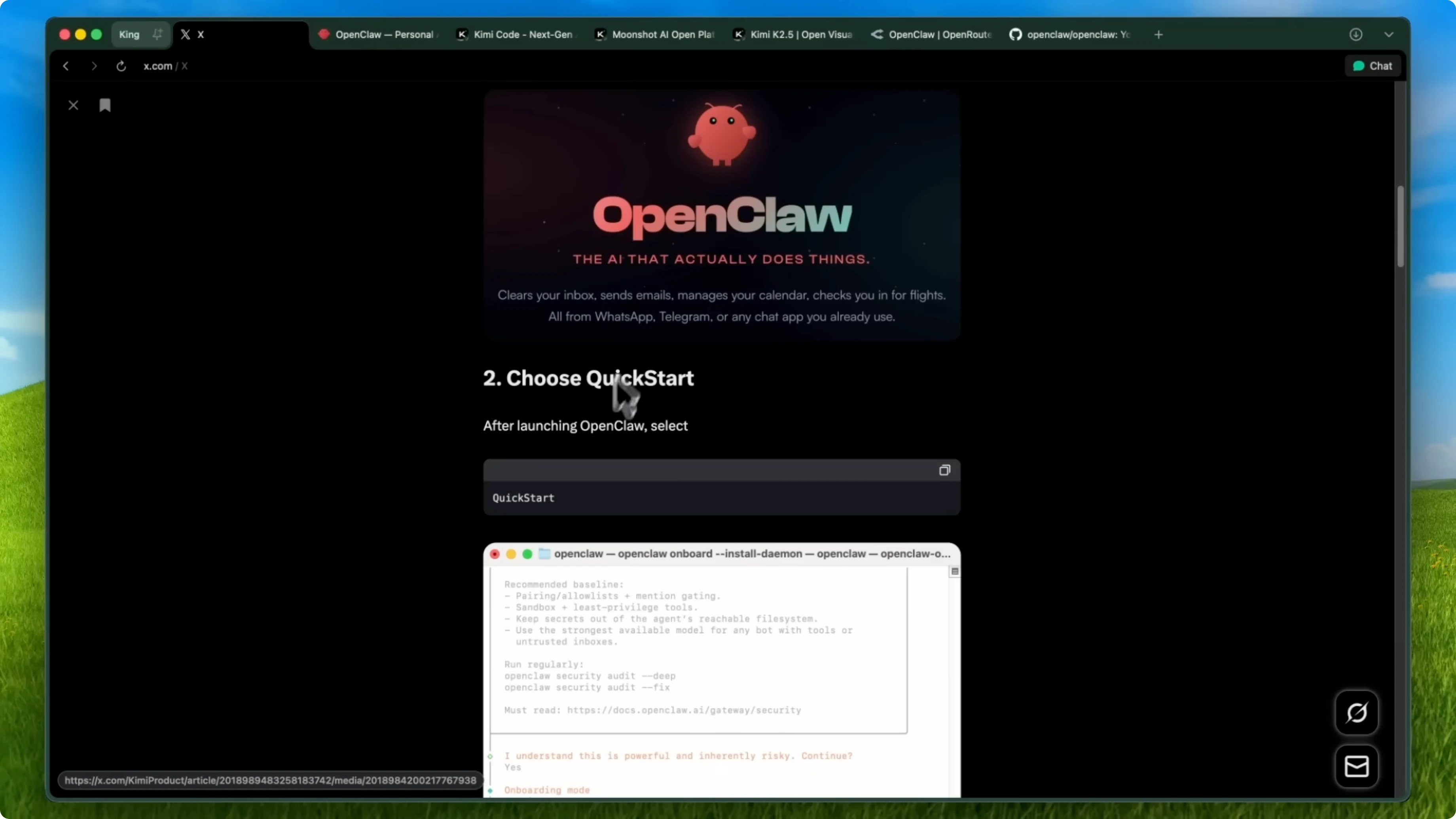
Go to openclaw.ai and install OpenClaw.
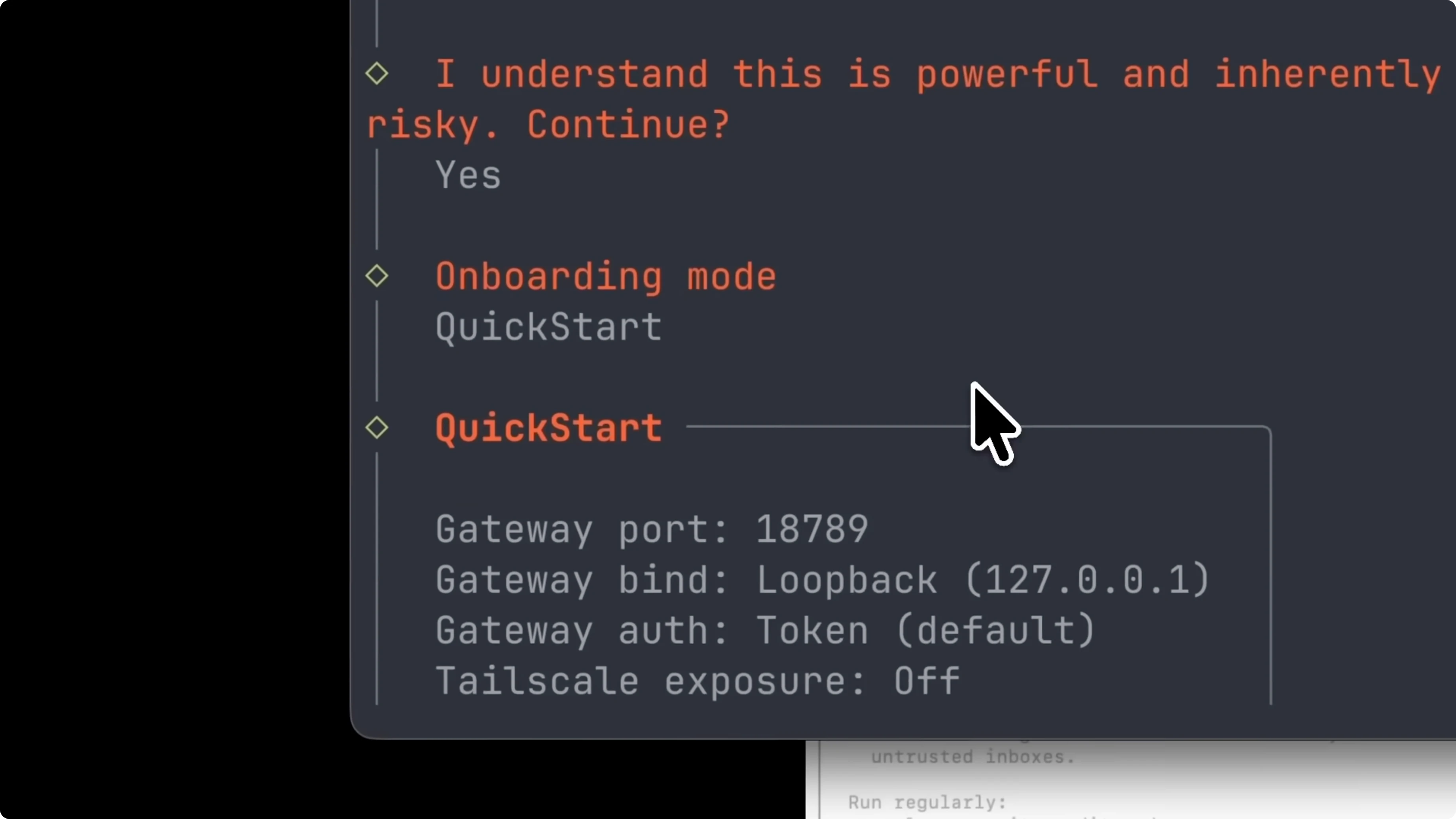
Launch it and choose quickstart when it asks for the onboarding mode.
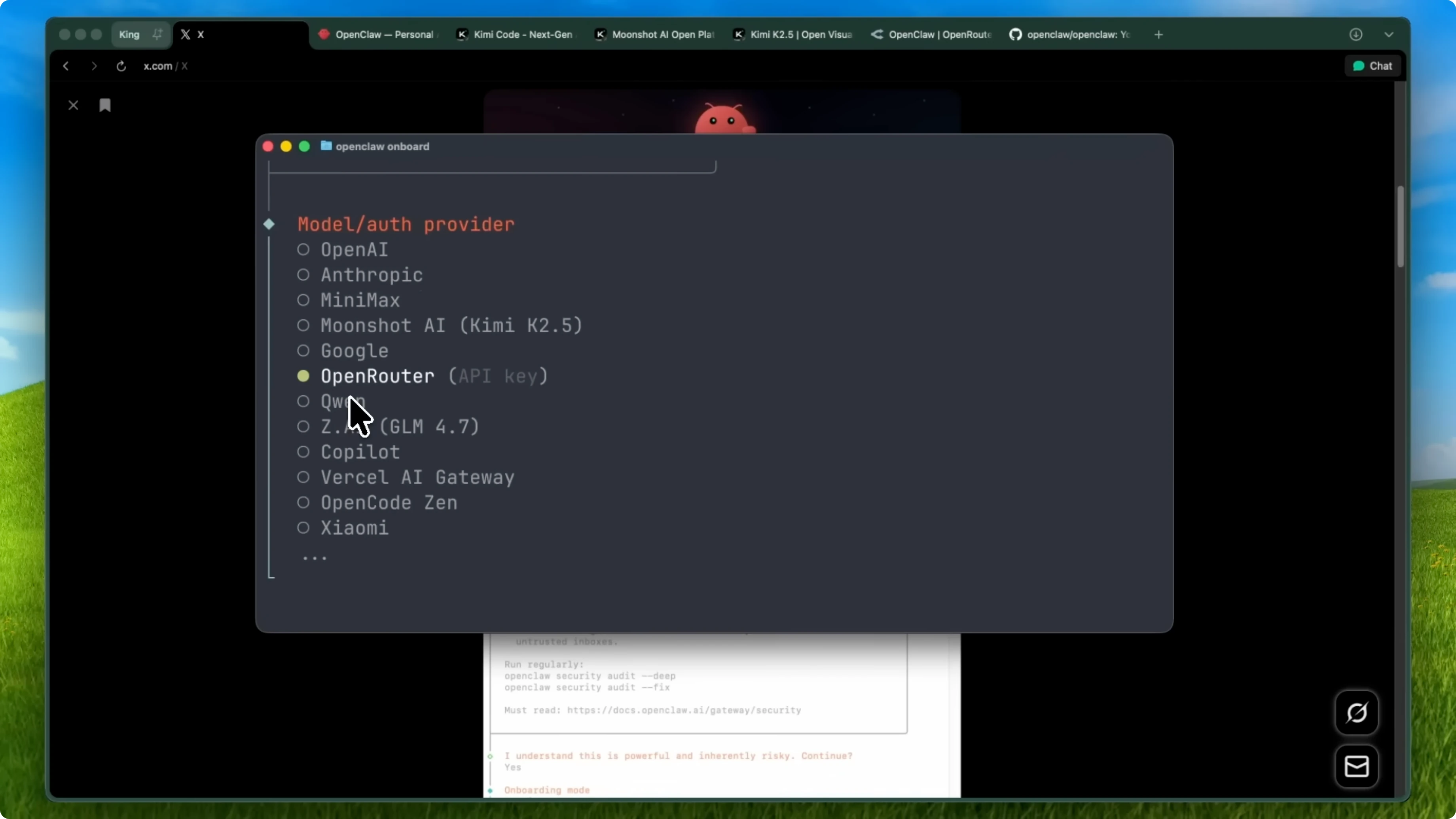
In the model/auth provider step, you’ll see options including OpenAI, Anthropic, Google, and others.
Select Moonshot AI labeled as Kimi K2.5, and you’ll see Kimi K2.5 plus Kimi Coding.
You have three options for authentication.
Option one is the Kimi Code plan.
This is a fixed monthly subscription with a token usage cap.
It’s recommended if you’re new to OpenClaw or you want predictable costs.
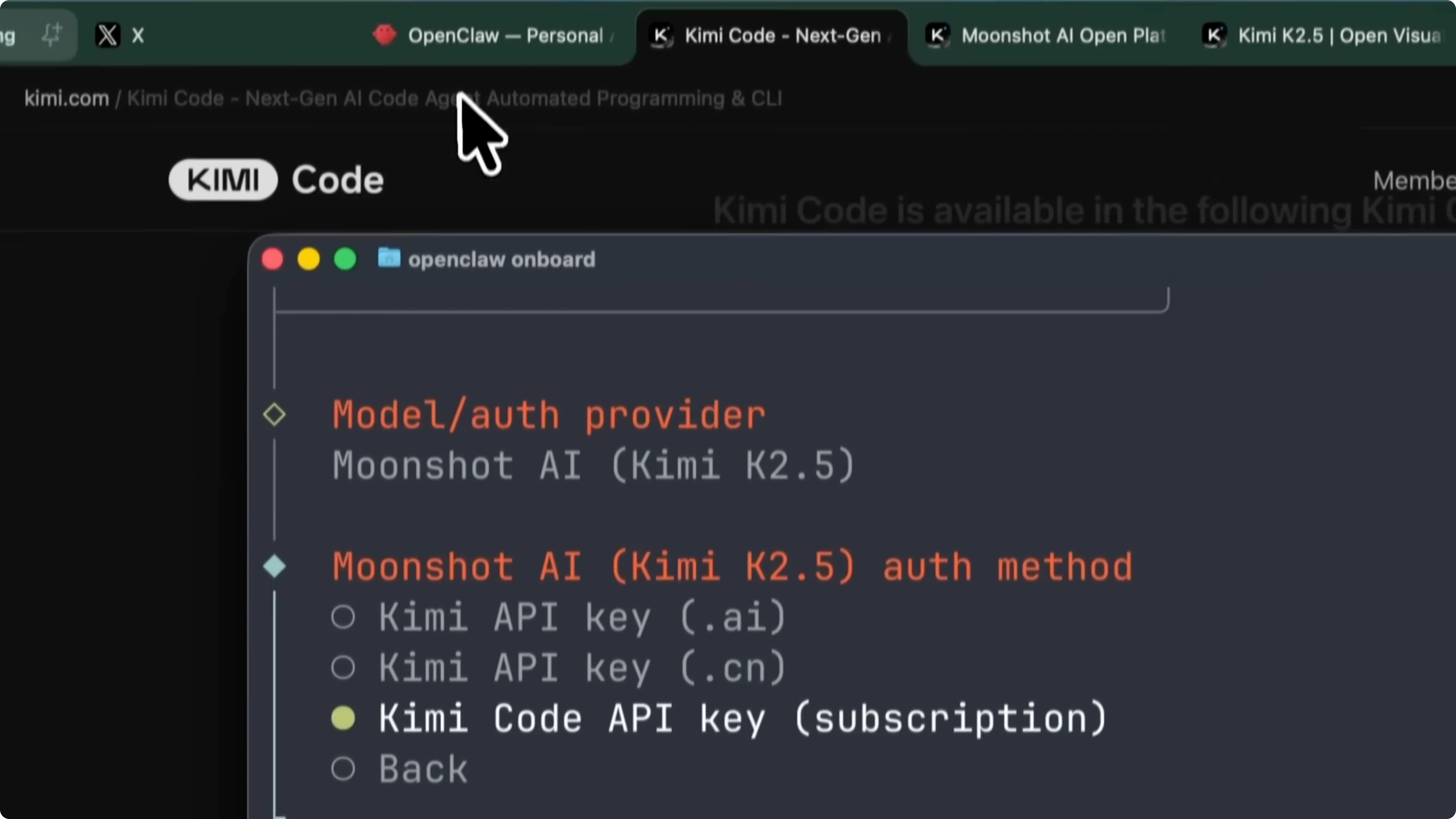
To use this, select Kimi Code API key subscription.
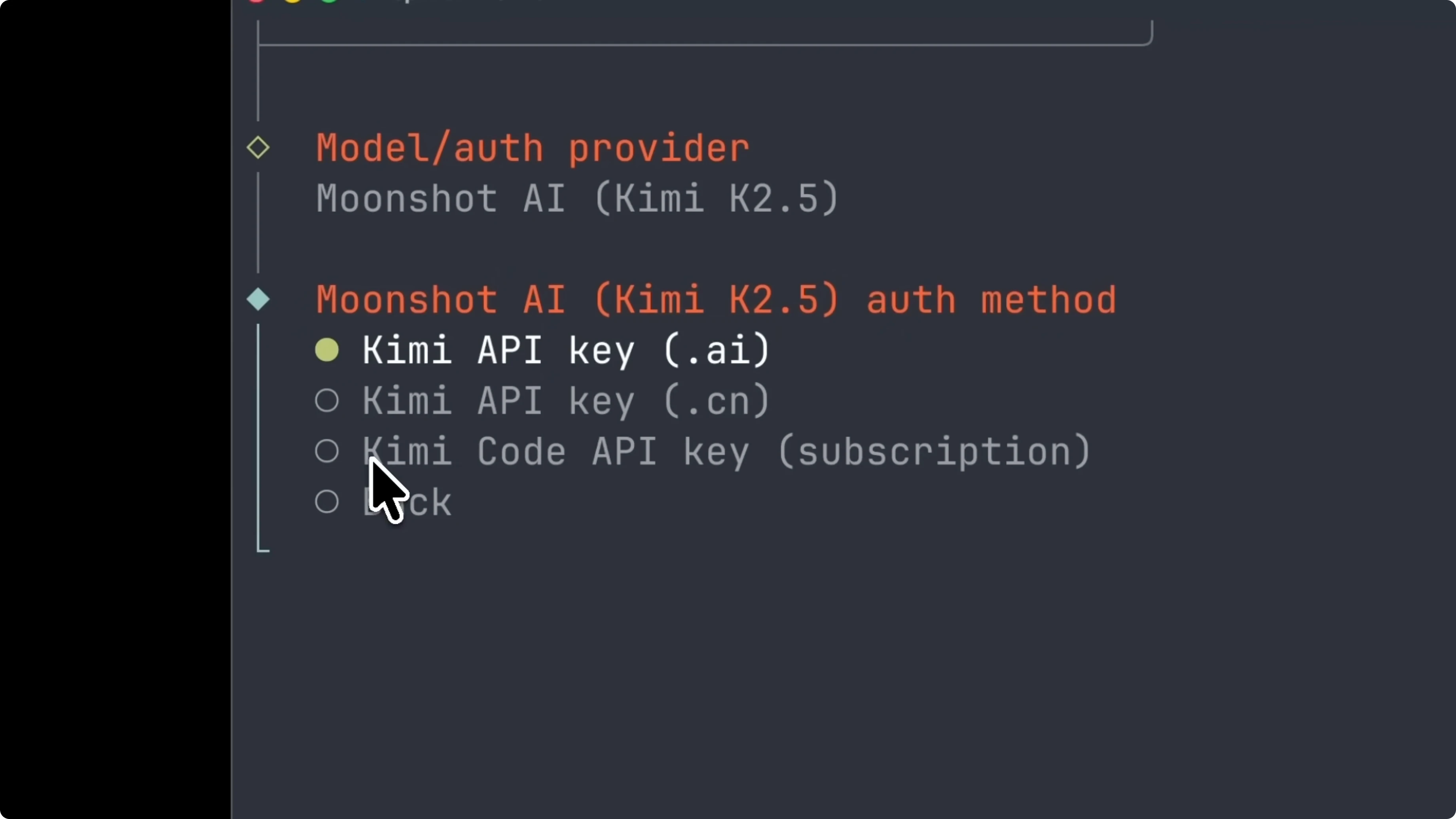
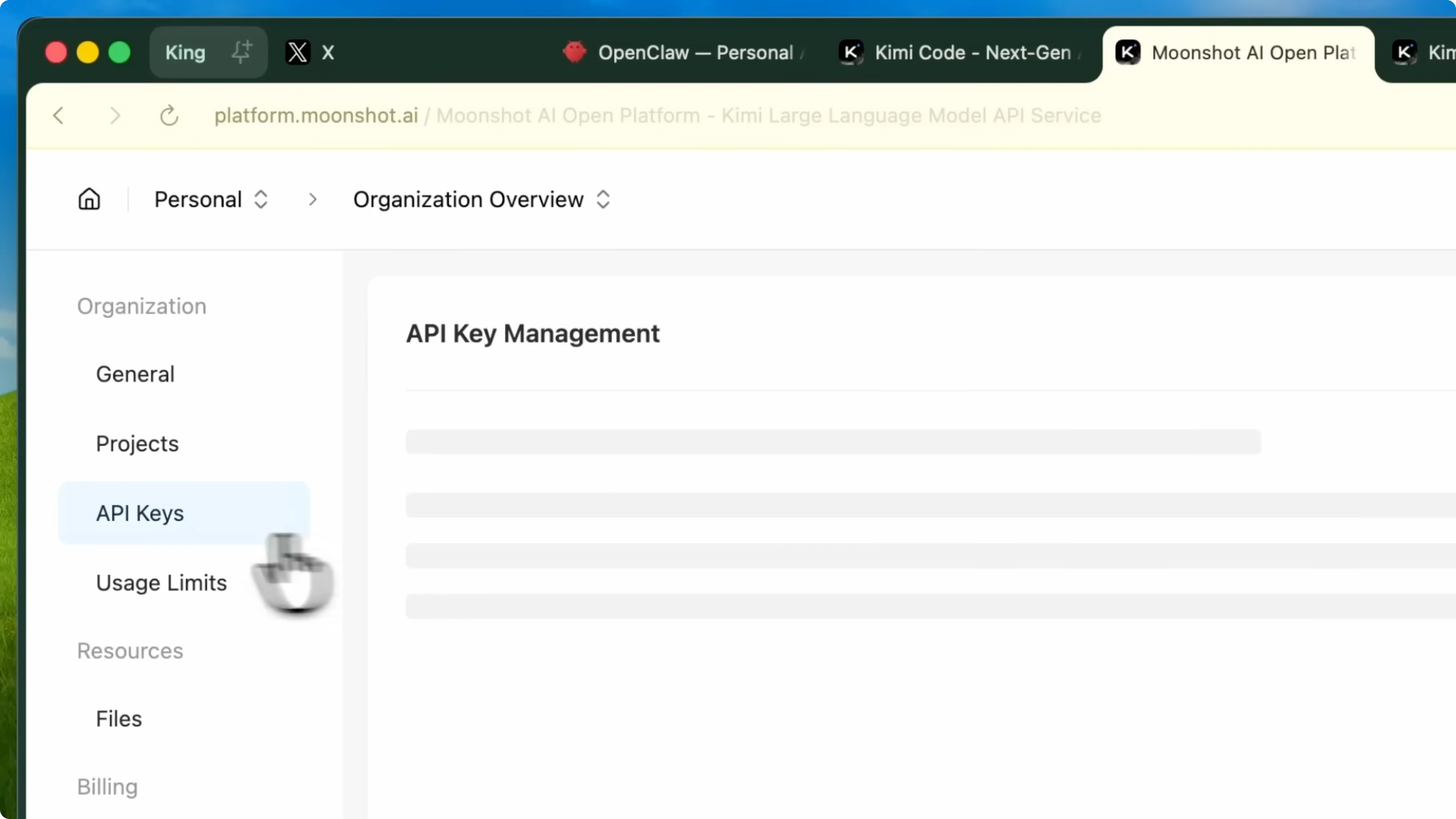
Go to kimi.com/code/console to create your API key and paste it into OpenClaw.
Options two and three are the Kimi API options.
These are pay as you go, meaning you only pay for the tokens you actually use with no monthly cap.
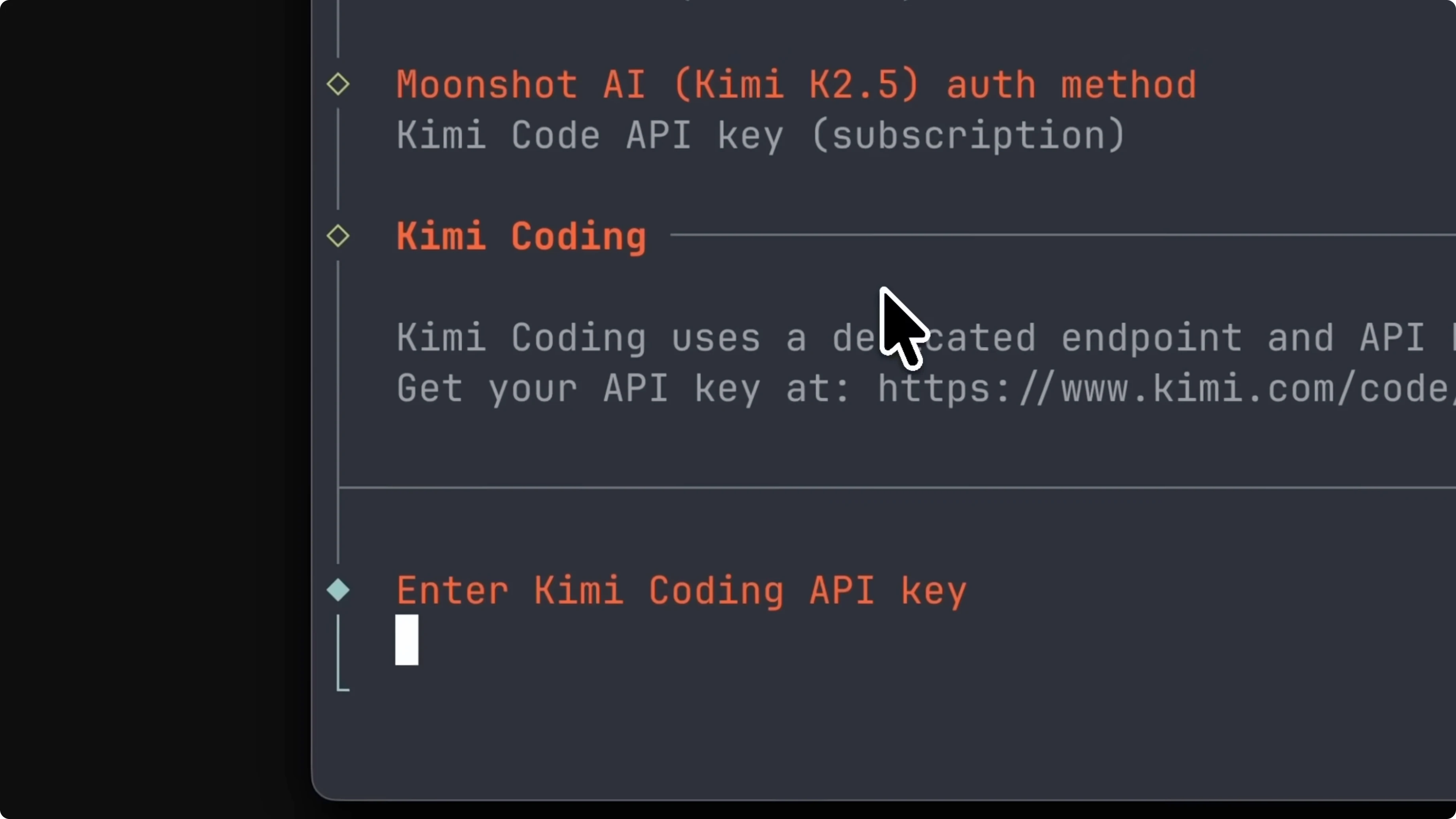
This is better if you’ve exhausted your Code plan quota or if you want unlimited long-running agent usage.
Choose the international Moonshot platform with USD billing or the Kimi.cn platform for mainland China billing.
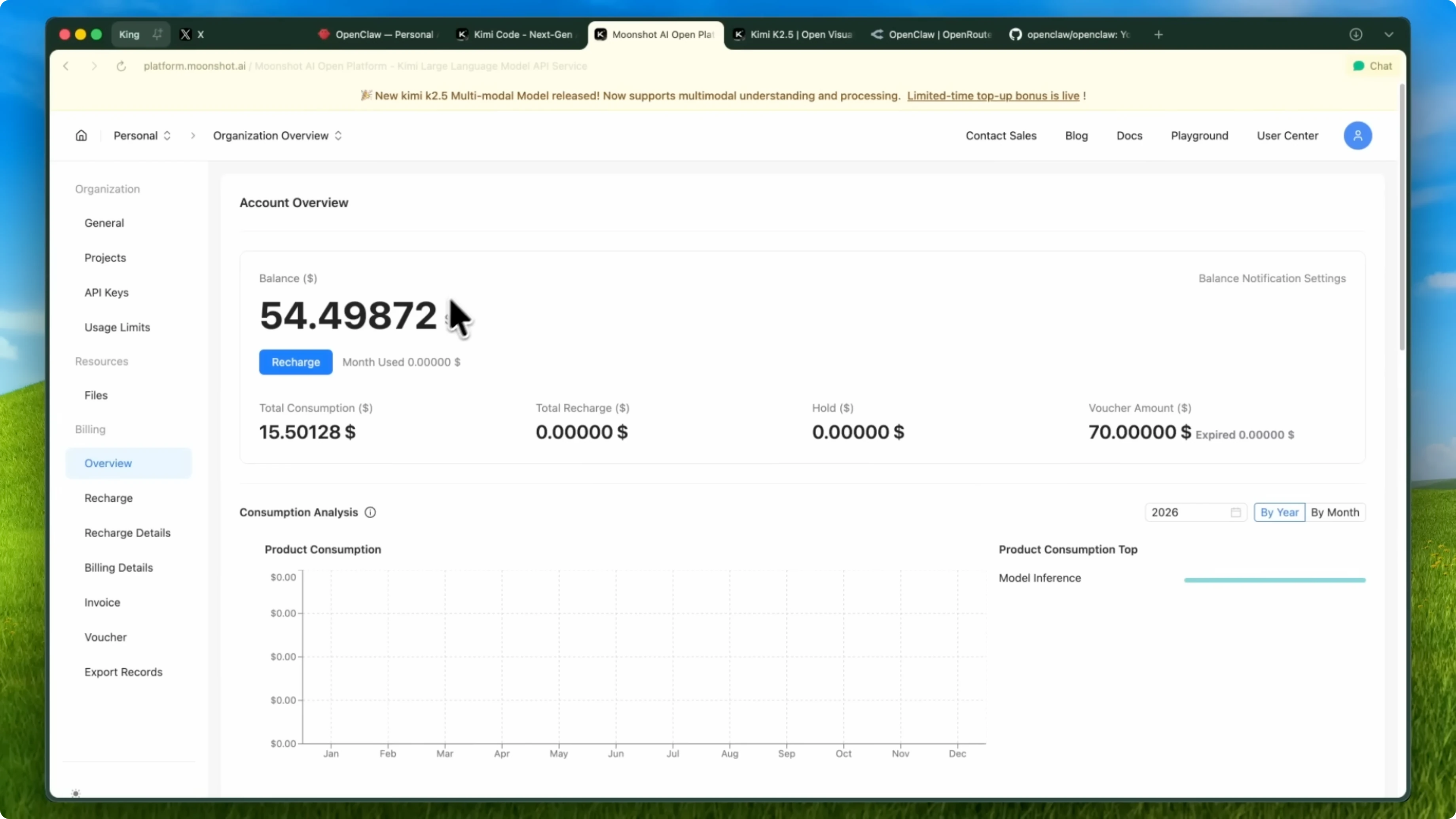
Then go to platform.moonshot.ai/console/api-keys or the CN version to create your key.
That’s it.
Once your API key is configured, OpenClaw starts running on Kimi K2.5 immediately.
No extra adapters, no workarounds.
If you’re exploring other agent upgrades too, check out Minimax M2.1. It pairs well with OpenClaw depending on your workflow. The point is you have strong choices.
Pricing that scales
Kimi K2.5 API costs about $0.60 per million input tokens and $2.50 per million output tokens. Compared to something like GPT 5.2 or Claude 4.5 Opus, you’re looking at significantly lower costs. For agent workloads that can rack up a lot of tokens, this adds up fast.
If you care about coding-focused comparisons against Opus, see King Mode vs Opus. The cost and throughput picture matters a lot for agents. Predictable or pay as you go options cover both ends.
Security notes
OpenClaw by its nature has access to a lot of stuff. The documentation literally says there is no perfectly secure setup. You need to understand what you’re giving the agent access to.
The recommended baseline is to use pairing and allow lists. Sandbox with least privilege tools. Keep secrets out of the agent’s reachable file system and use the strongest available model for bots with tools or untrusted inboxes.
They also recommend running these regularly:
openclaw security audit-deep
openclaw security audit-fix
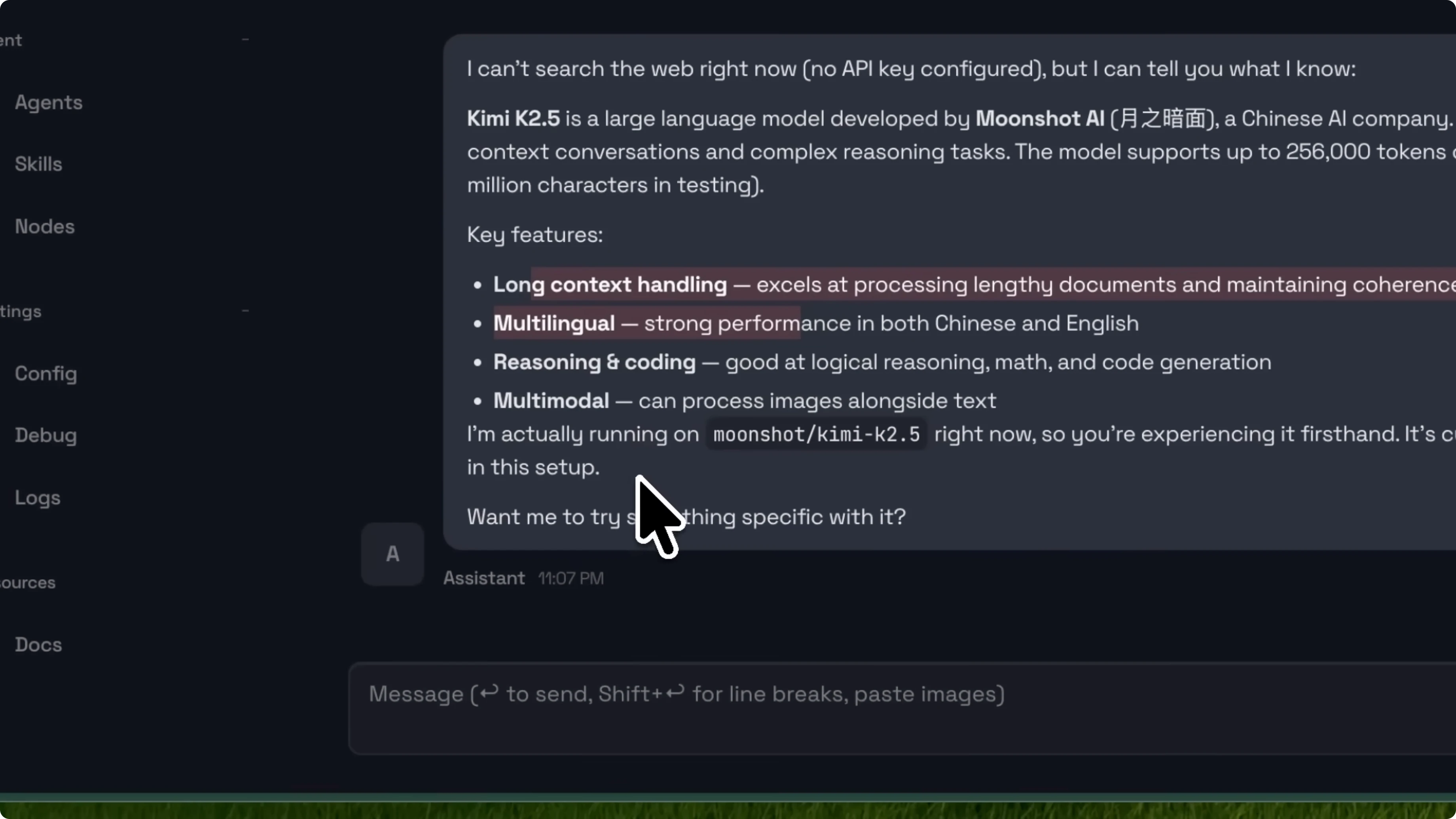
If you’re technical enough to understand those implications and set things up properly, this is a powerful combination. Kimi K2.5 gives you frontier level capabilities at a fraction of the cost. OpenClaw gives you a way to put those capabilities to work on real tasks.
Big picture
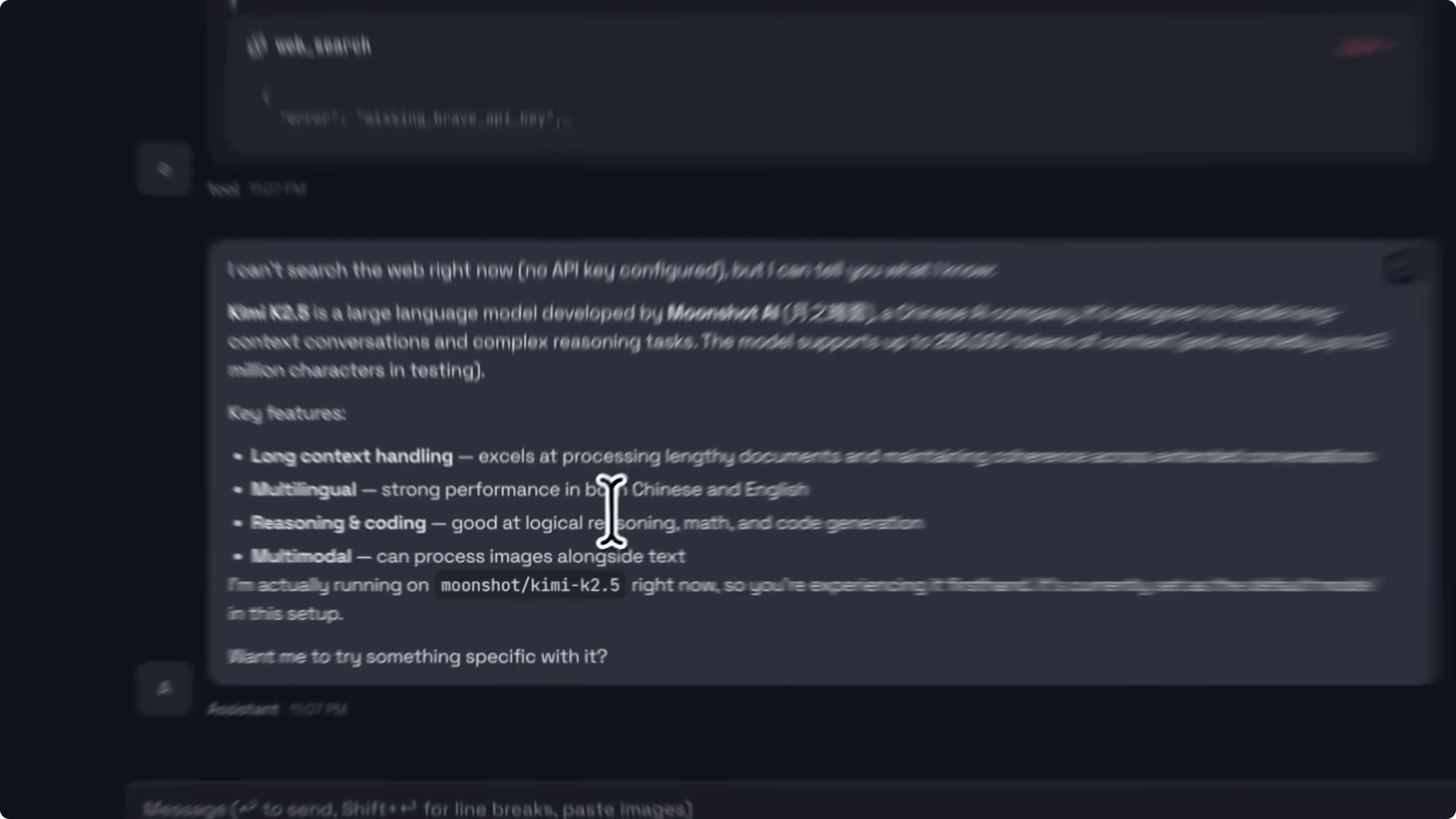
This is a good example of what the AI agent ecosystem is becoming. We have open-source models that can compete with the best closed-source options and we have open-source agent frameworks that can use them. The fact that you can message your AI assistant on WhatsApp and have it do actual work for you powered by a trillion parameter model that’s completely open source is pretty wild when you think about it.
Final thoughts
Kimi K2.5’s agent swarm, multimodal training, and pricing line up perfectly with OpenClaw’s real task focus. Setup is straightforward, performance on browsing and parallel execution is strong, and costs are friendly for long-running agents. If you balance capability with the security practices above, this pairing is hard to beat.


