How To Fix White Screen Issue on Google Chrome
I'm going to teach you how to address the frustrating white screen issue on Google Chrome. We've all been there. You open up your browser, hoping to get some work done or browse your favorite sites, only to be greeted by what seems like an endless expanse of white.
Don't worry, I've got you covered with some straightforward steps to get everything back up and running smoothly.
Fix White Screen Issue on Google Chrome
Quick restart
First things first, let's make sure the issue isn't just a temporary glitch.
Close all the tabs you've got open and totally exit Chrome.
This gives your browser a fresh start.
Once you've done this, try reopening Chrome.
If the problem persists, it's time to go a bit deeper.
If video playback stutters in full screen, see YouTube lag.
Clear cache and cookies
One common workaround that resolves this issue is to clear the cache and cookies in your browser.
These are files that store information about your browsing habits and website data.
Sometimes they can cause problems.
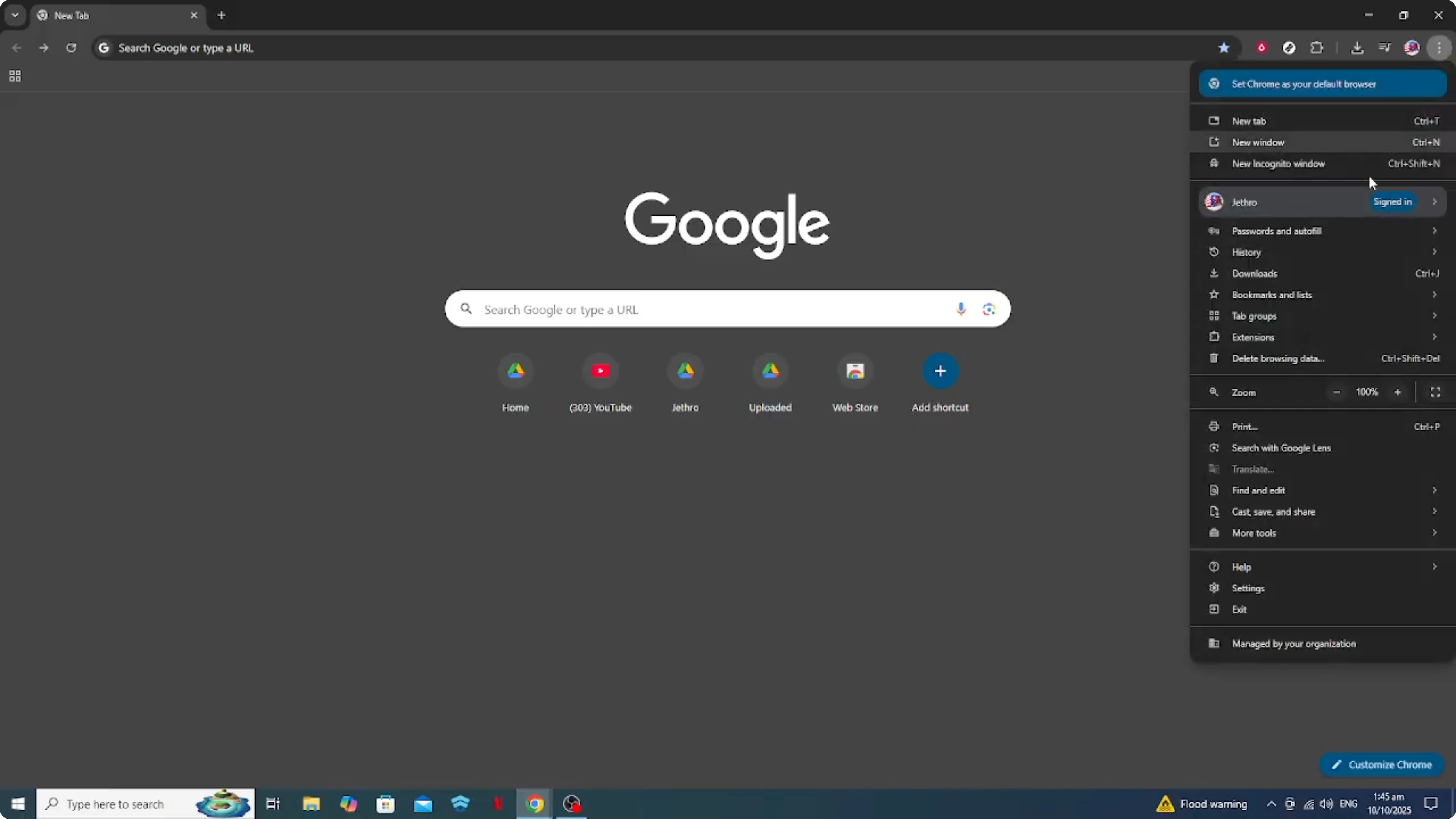
Head over to the three dot menu at the top right corner of Chrome.
Navigate to more tools and then click on clear browsing data.
You'll want to select a time range.
It's often best to go with all time to be sure you're clearing out everything that could be causing trouble.
![Screenshot from How To Fix White Screen Issue on Google Chrome [2026 Guide] at 59s](/ai/fix-white-screen-google-chrome/fix-white-screen-google-chrome-59.webp)
Make sure the options for cookies and other site data and cached images and files are checked.
![Screenshot from How To Fix White Screen Issue on Google Chrome [2026 Guide] at 67s](/ai/fix-white-screen-google-chrome/fix-white-screen-google-chrome-67.webp)
Then hit clear data.
Let it work its magic and then try reopening Chrome again.
If pages fail to load with a 404 error, see 404 fix.
Disable extensions
If you're still seeing the white screen, the next step is to disable any extensions that might be causing conflicts.
Extensions are great little tools, but occasionally they can be the root of issues like this.
Go back to the three dot menu.
![Screenshot from How To Fix White Screen Issue on Google Chrome [2026 Guide] at 84s](/ai/fix-white-screen-google-chrome/fix-white-screen-google-chrome-84.webp)
Select more tools and then extensions.
Here you'll see a list of all the extensions currently active.
![Screenshot from How To Fix White Screen Issue on Google Chrome [2026 Guide] at 94s](/ai/fix-white-screen-google-chrome/fix-white-screen-google-chrome-94.webp)
Toggle off each extension one by one, checking each time if the white screen disappears.
If disabling a particular extension resolves the issue, you may have found your culprit.
Update Chrome
Should these steps not resolve the issue, it's worth checking if Chrome needs an update.
![Screenshot from How To Fix White Screen Issue on Google Chrome [2026 Guide] at 107s](/ai/fix-white-screen-google-chrome/fix-white-screen-google-chrome-107.webp)
Keeping your browser up to date is crucial for security and functionality.
To update, go to the menu again, navigate to help, and click on about Google Chrome.
Chrome will automatically begin updating if a newer version is available.
For site warnings related to blockers, see ad blocker.
Reset settings
Lastly, if after trying all these steps, you're still facing the same problem, resetting Chrome settings might be the way to go.
This will restore the browser to its default settings and can solve stubborn issues.
Be mindful though that this will reset all your settings and remove temporary data such as cookies.
To do this, head to settings, find advanced settings, and select restore settings to their original defaults.
![Screenshot from How To Fix White Screen Issue on Google Chrome [2026 Guide] at 141s](/ai/fix-white-screen-google-chrome/fix-white-screen-google-chrome-141.webp)
Final thoughts
That wraps up fixing the white screen issue on Google Chrome.
With these simple steps, you should be able to resolve the issue swiftly and get back to your usual browsing experience.
I hope this helps.


