Why OpenClaw Falls Short and 2 Better Open-Source Alternatives?
If you have been anywhere near the AI coding space in the last week, you have probably heard about ClaudeBot or should I say OpenClaw or MaltBot. When it first blew up, people were calling it the future of personal AI agents. Then it got basically acquired by OpenAI.
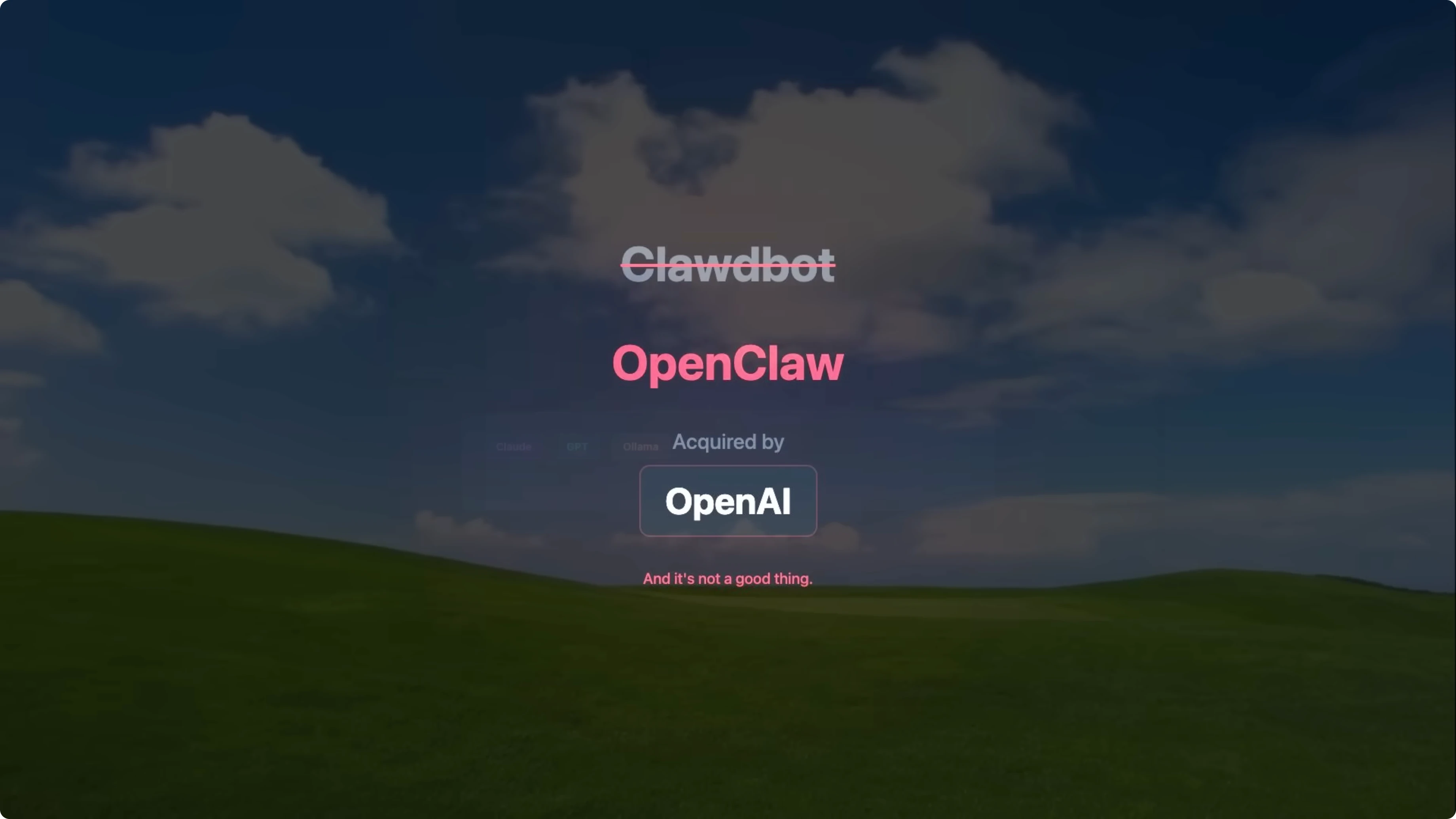
I say basically because it is not a traditional acquisition. What happened is Peter Steinberger, the creator of OpenClaw, joined OpenAI on February 15. Sam Altman himself announced it.
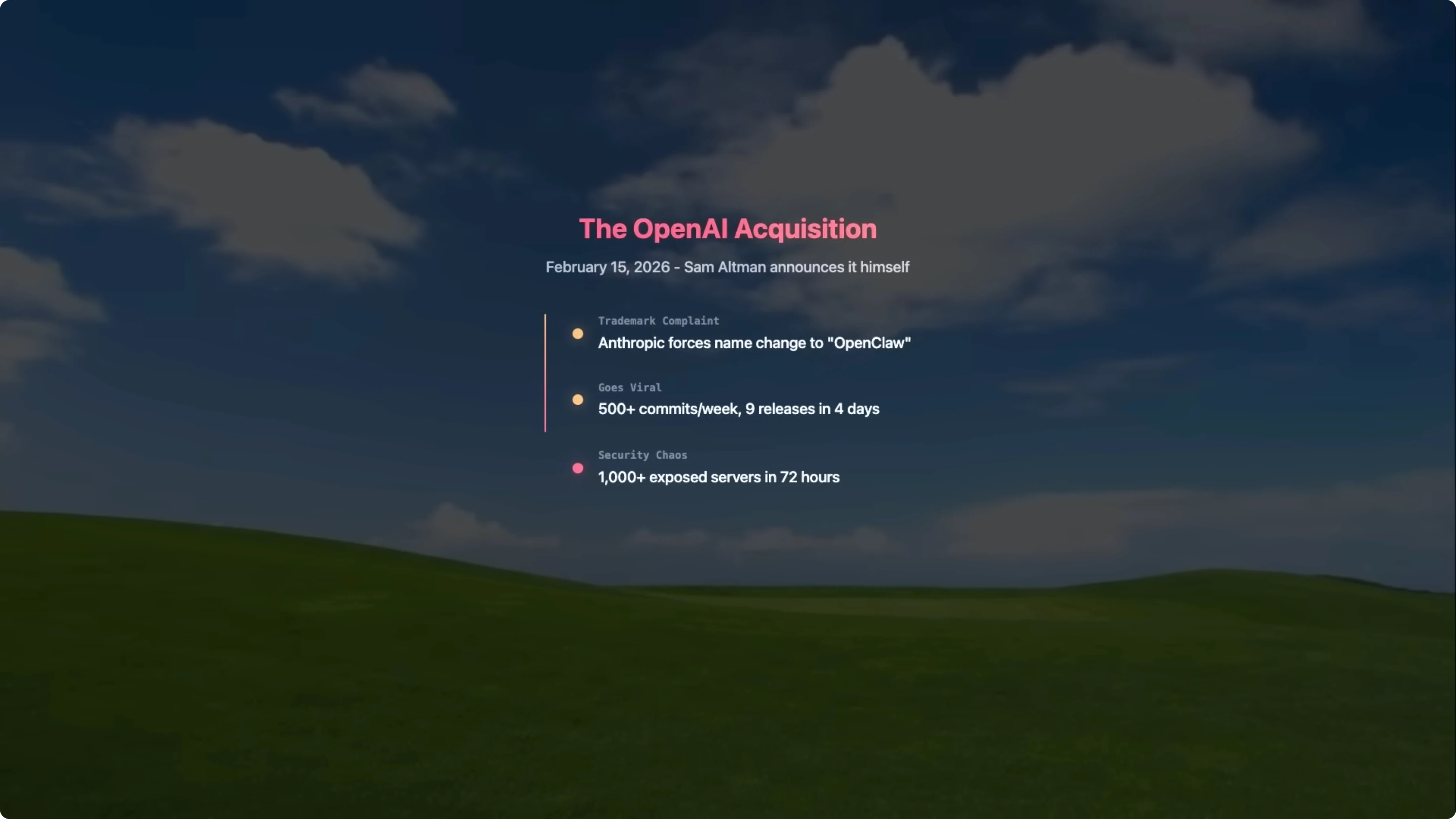
The project will apparently remain open source and live in some foundation. But when the sole creator of a project joins a company that is building a direct competitor, you know what direction this is going. And speaking of that competitor, OpenAI already has CodeX, which people have been calling ClaudeBot Light.
So now the creator of the original is working at the company that made the light version. Make of that what you will, but here is the thing. Even before the OpenAI move, ClaudeBot had serious problems.
Why OpenClaw Falls Short
Commit velocity without safety nets
Let me talk about the commit situation first because this really bothered me. This project was shipping 500 commits per week, up from about 50 previously, and they pushed out nine releases in four days. That is not a good thing.
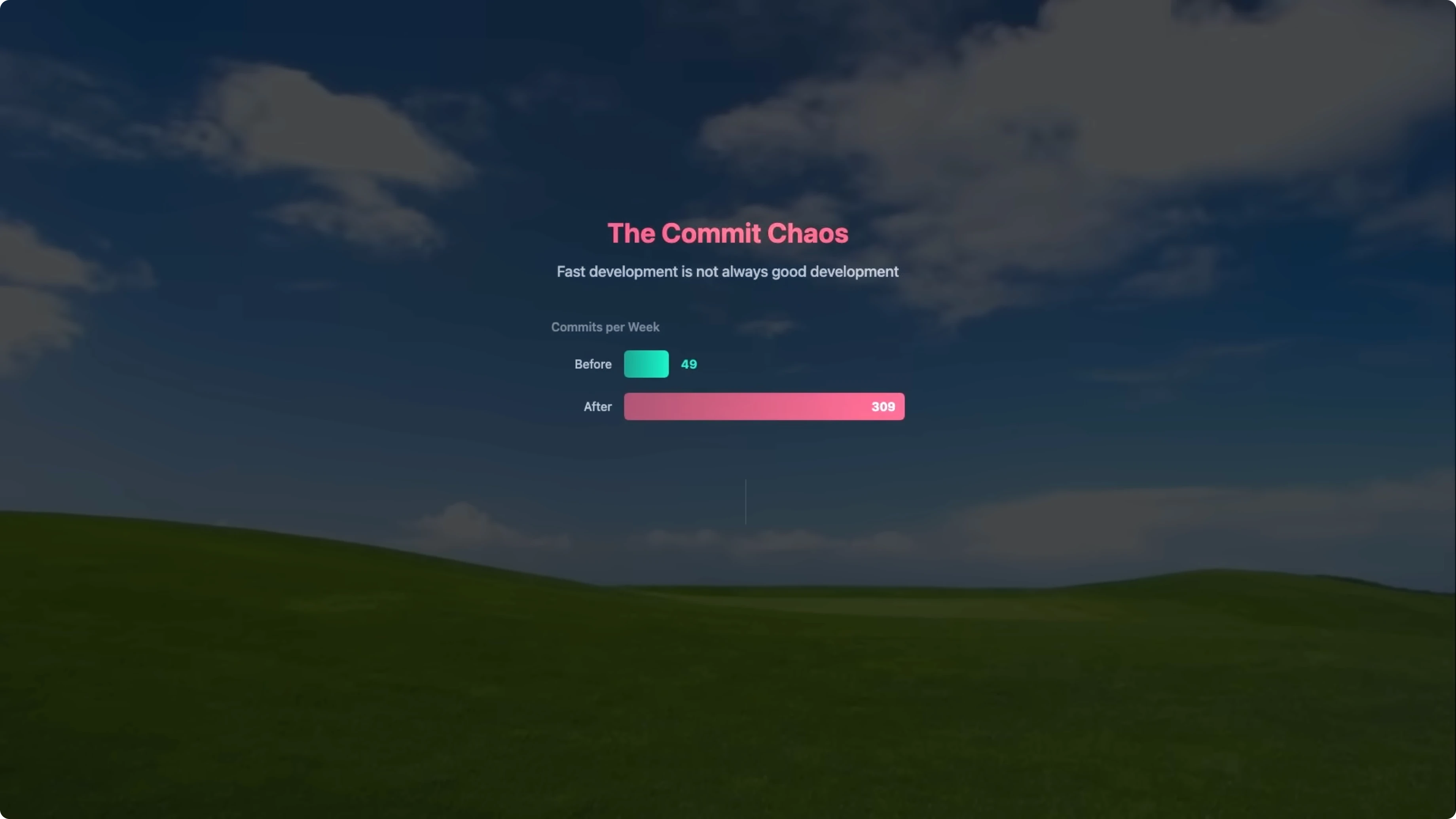
That is a terrible thing. When you are shipping that fast without upgrading your testing, your documentation, or your regression detection, you are just shipping bugs faster. And that is exactly what happened.
Crashes and unhandled failures
I personally had it break on me multiple times in the last five days. The gateway crashes repeatedly because of unhandled promise rejections from network failures. Any failed HTTP request would just kill the entire process, with no graceful recovery and no fallback.
You have to manually restart it every single time. That is not a production ready tool. That is a prototype being forced into production.
Security problems at scale
The security situation is honestly even worse. Within 72 hours of going viral, there were over 1,000 exposed servers documented, supply chain attack proof of concepts were found, and multiple critical vulnerabilities were exploited. This is not just bad engineering, this is dangerous.
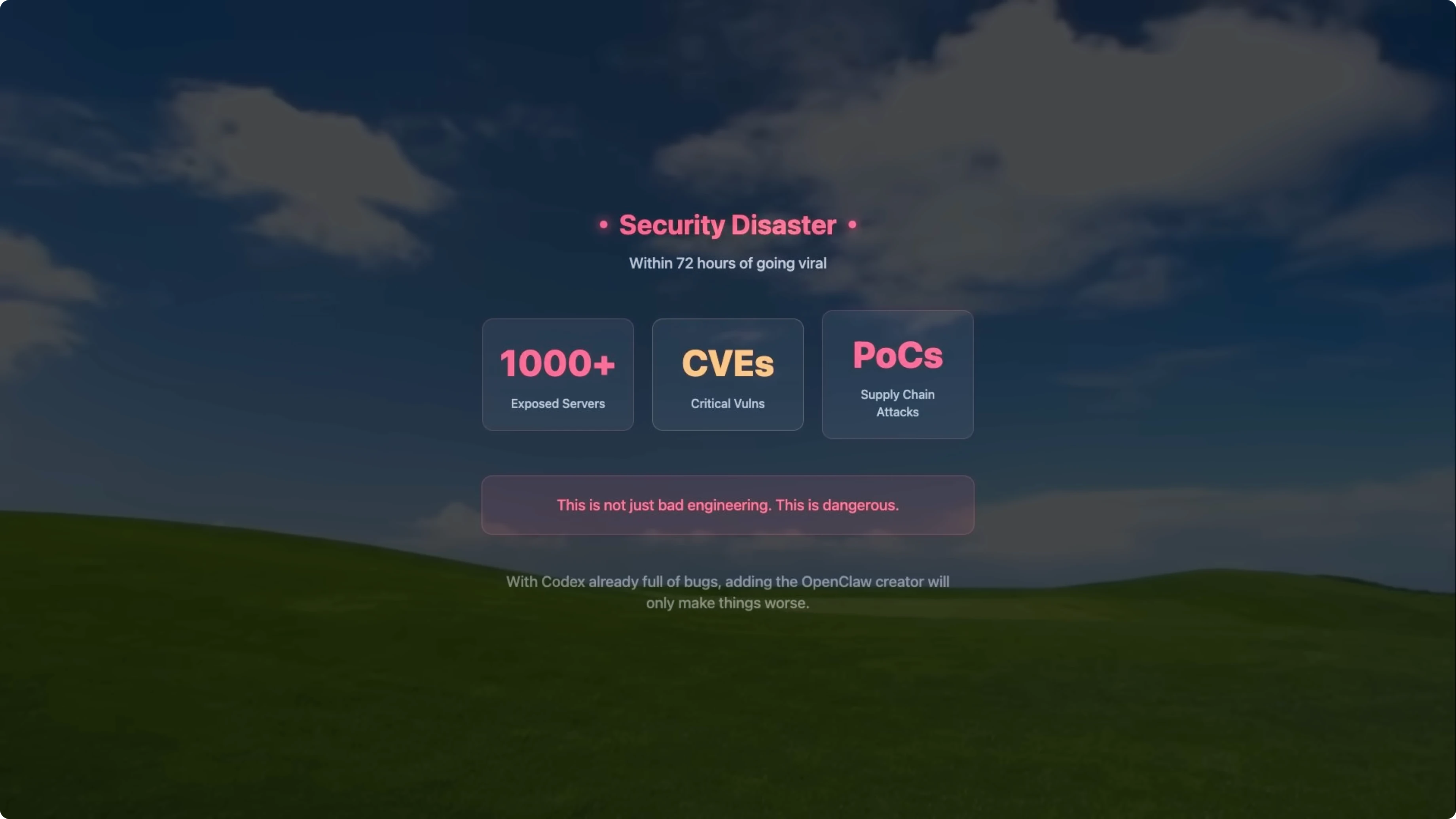
And now with the creator joining OpenAI and seeing the current state of CodeX bugs, I think it is only going to get worse. The whole thing feels very vibe coded. Fast iterations, lots of hype, not enough testing, not enough stability.
It is the kind of development cycle that prioritizes GitHub activity graphs over actual reliability. That is the problem.
Read More: Claude Code
2 Better Open-Source Alternatives
Nanobot
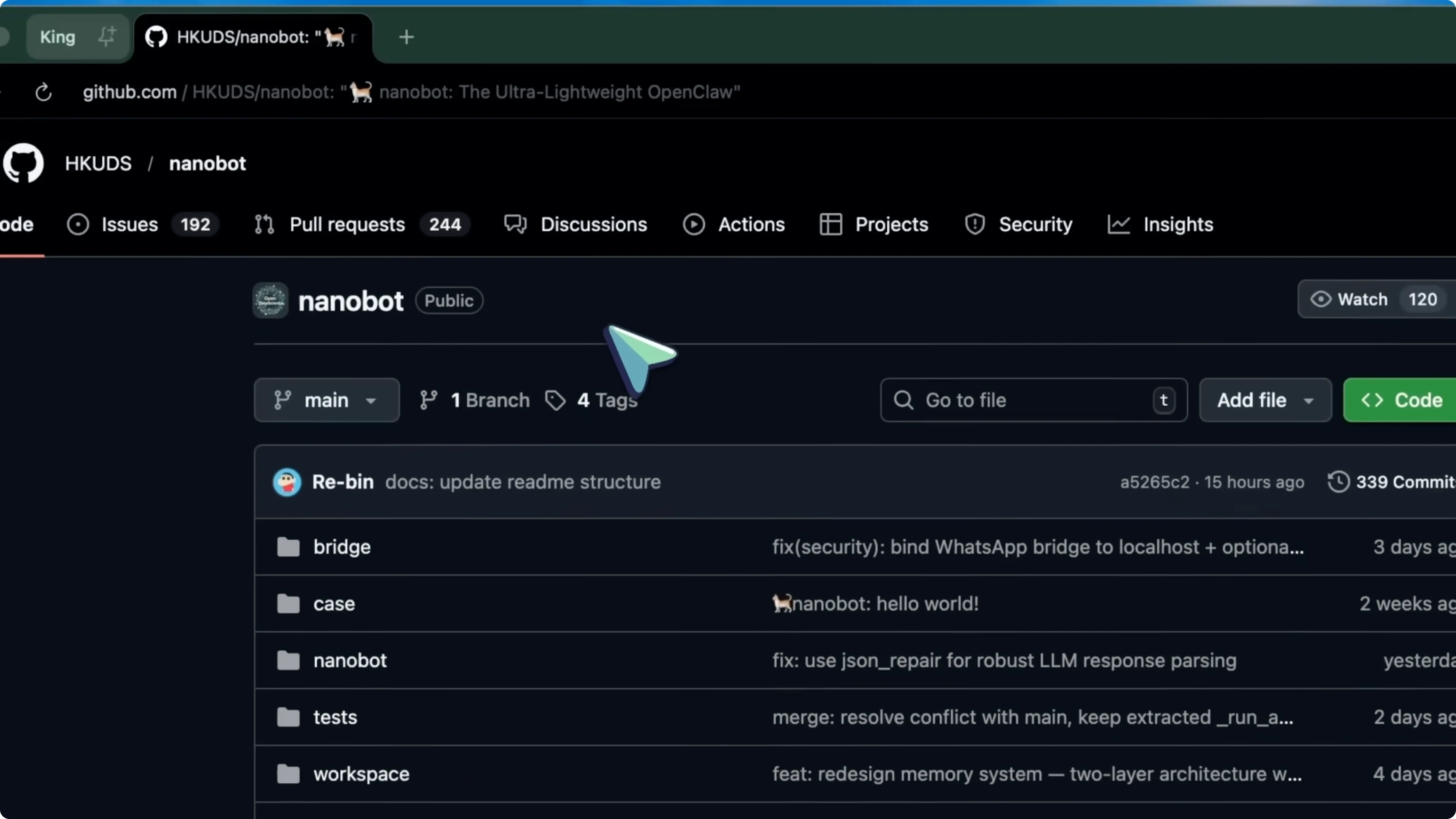
Let me introduce you to something that I think takes a much better approach. It is called Nanobot and it is from the Data Intelligence Lab at the University of Hong Kong. The whole project is about 4,000 lines of Python code.
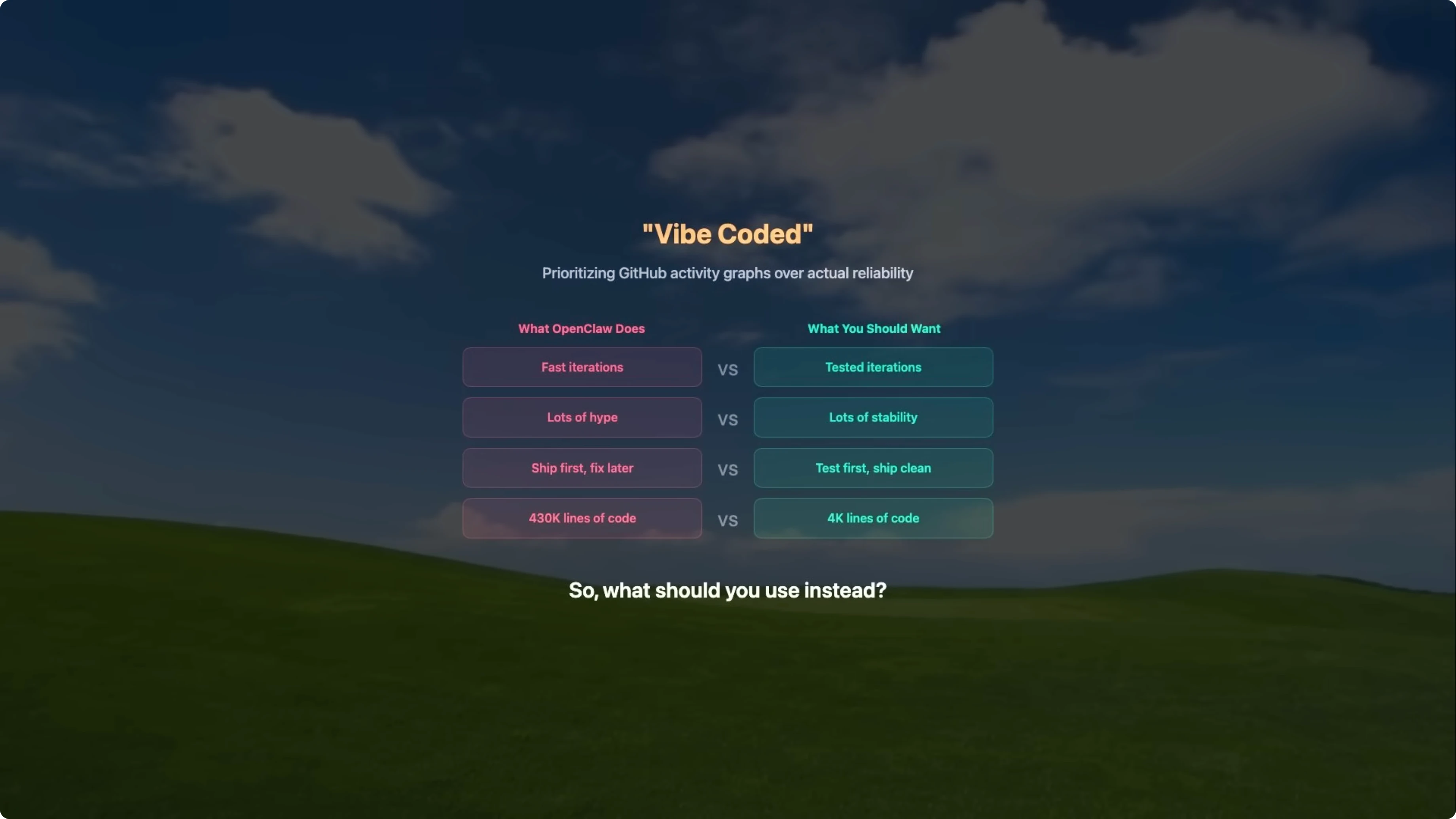
That is it. For comparison, OpenClaw has over 430,000 lines of code. So Nanobot is 99 percent smaller and it achieves basically the same core capabilities.
When something is 430,000 lines, nobody can audit it. Nobody can fully understand it. Bugs hide everywhere and security vulnerabilities are inevitable.
When something is 4,000 lines, you can actually read the whole thing. You can understand what it is doing. You can trust it.
At its core, it is an ultra lightweight personal AI assistant framework. It can execute shell commands, schedule tasks and cron jobs, access the web, maintain persistent memory across conversations, and run sub agents for specialized tasks. It supports 11 LLM providers including OpenRouter, Anthropic, OpenAI, DeepSeek, Google Gemini, Grok, and even local models through vLLM.
It works across eight messaging platforms including Telegram, Discord, WhatsApp, Slack, Email, QQ, Feishu, and DingTalk. The architecture is really clean. It has four core modules.
First, the agent loop is under 1,000 lines and implements the ReAct pattern, which is reasoning plus acting. It can run up to 20 iterations per message, which means it can handle complex multi-step tasks. Second, a memory module uses two plain text files plus GPT.
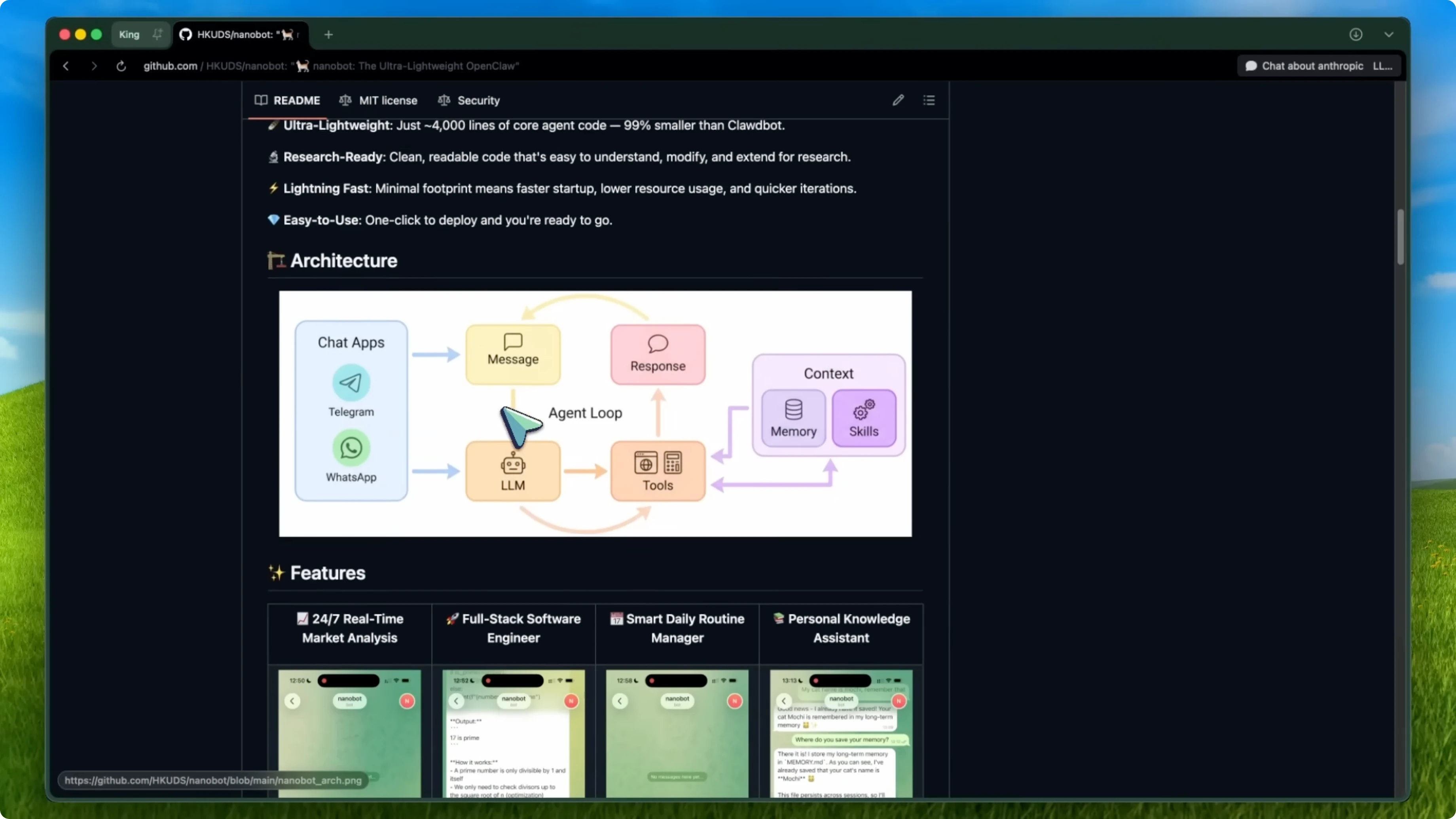
No RAG, no vector database, just simple, reliable, readable storage. Third, a skills loader dynamically loads all tools from a skills directory at runtime. Fourth, a message bus unifies communication across all the different platforms.
The performance numbers set this apart. Startup time is 0.8 seconds, while OpenClaw takes 8 to 12 seconds, which is a 10 to 15 times difference. Memory usage is 45 MB compared to 200 to 400 MB for heavier frameworks.
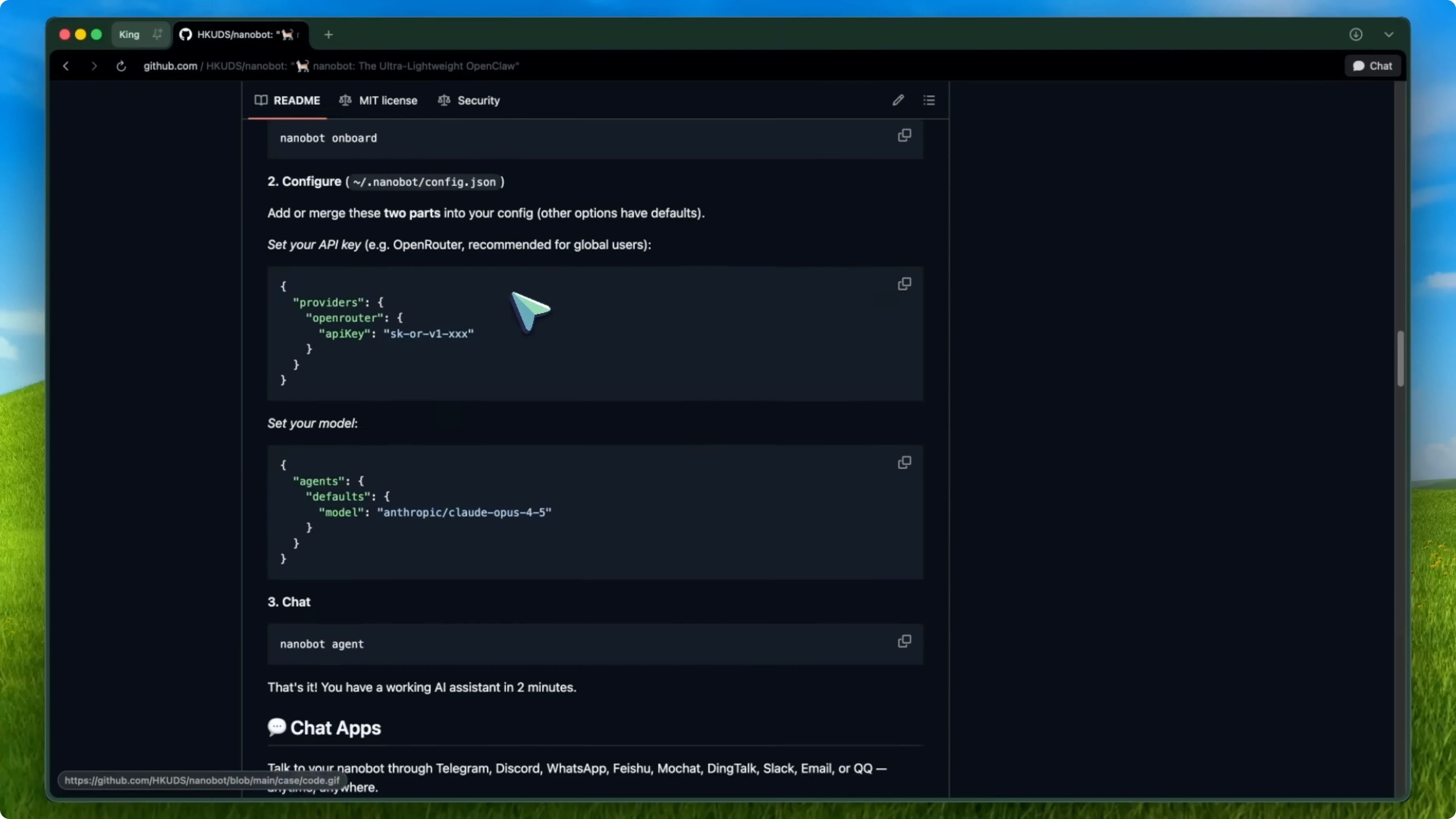
Adding a new tool takes 15 to 30 minutes compared to several hours in more complex systems. Adding a new LLM provider takes just two configuration steps. The project also follows the Model Context Protocol (MCP), which means it is designed to be interoperable with the broader ecosystem from day one.
The development speed is impressive, but in the right way. Nanobot went from initial release on February 2 to supporting 11 LLM providers and eight chat platforms in one week. Unlike OpenClaw, the code base stayed lean, and they did not just bolt on feature after feature without regard for code quality.
The whole thing is designed for researchers and developers who actually want to understand what their AI agent is doing. It already has over 17,000 stars on GitHub in two weeks, which tells you that a lot of people are resonating with this approach. The community is active, there are regular releases, and the road map is ambitious.
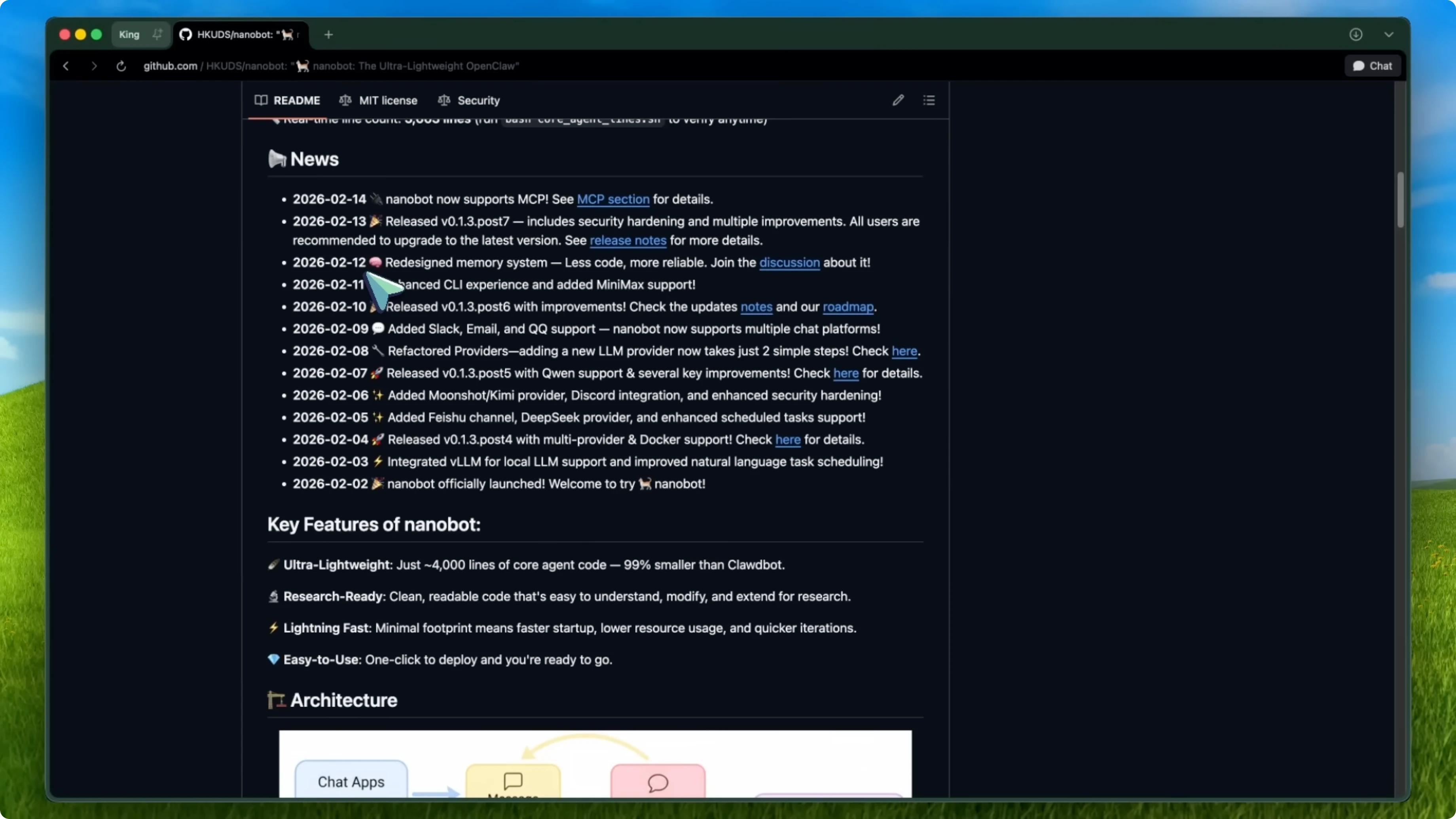
They are talking about evolving from a lightweight agent to an agent kernel, which is exciting. Is Nanobot perfect? No.
It has fewer out-of-the-box integrations than OpenClaw at eight platforms versus 50 plus. It also requires a bit more manual configuration for things like MCP server setup. I would rather have a tool that does eight things reliably than a tool that claims to do 50 things and crashes on the third one.
Read More: Open links in Chrome
PicoClaw
There is a second alternative that takes the lightweight concept even further. It is called PicoClaw and it is from Cyped. This thing is written in Go and it runs on less than 10 MB of RAM.
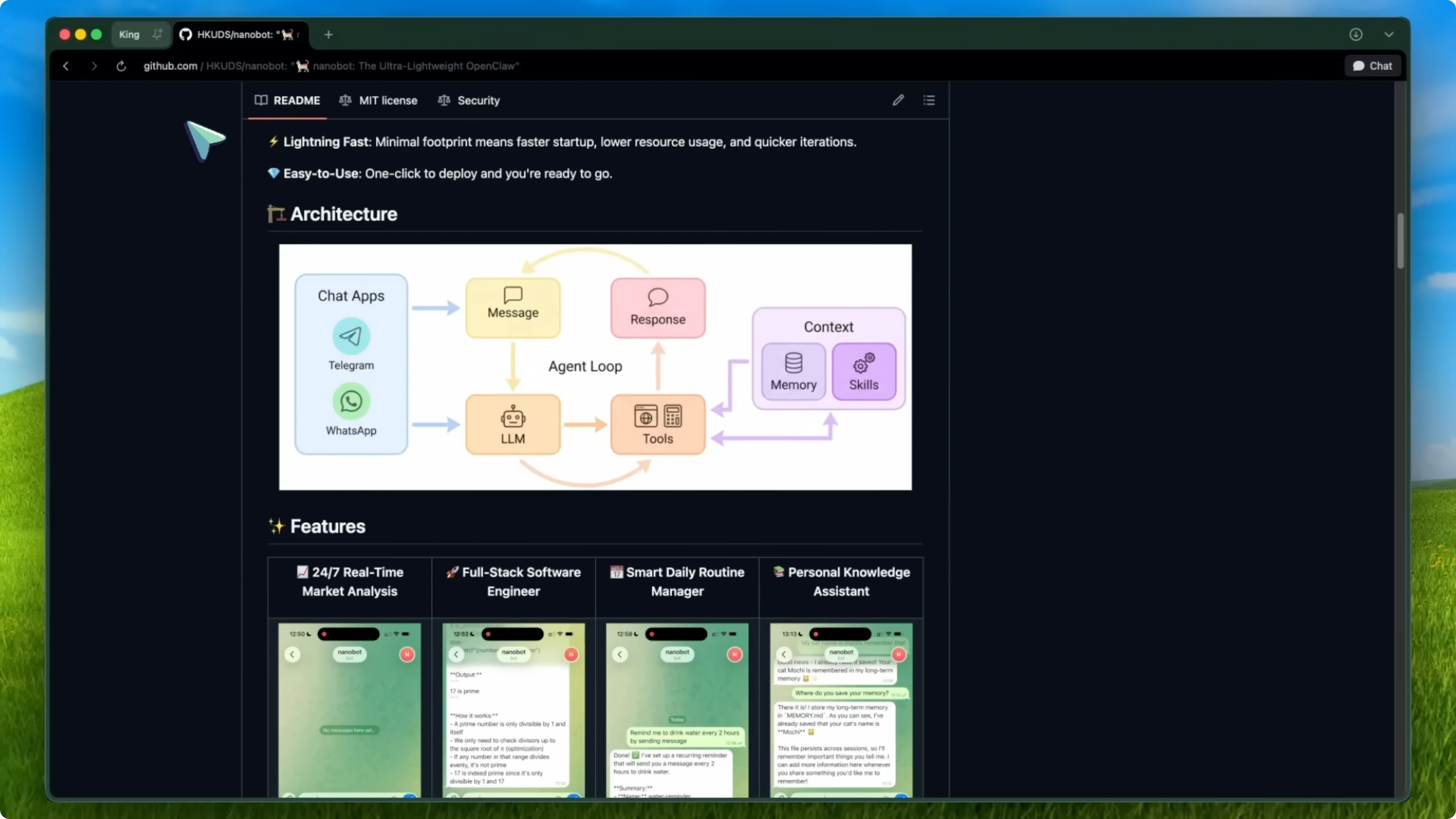
Let me say that again. Less than 10 MB. OpenClaw uses over a gigabyte, Nanobot uses about 45 MB, and PicoClaw uses less than 10.
That is a 99 percent reduction from OpenClaw. The hardware it runs on is the craziest part. You can run PicoClaw on a $10 RISC-V board, a LicheeRV Nano, a Raspberry Pi Zero, or a NanoKVM.
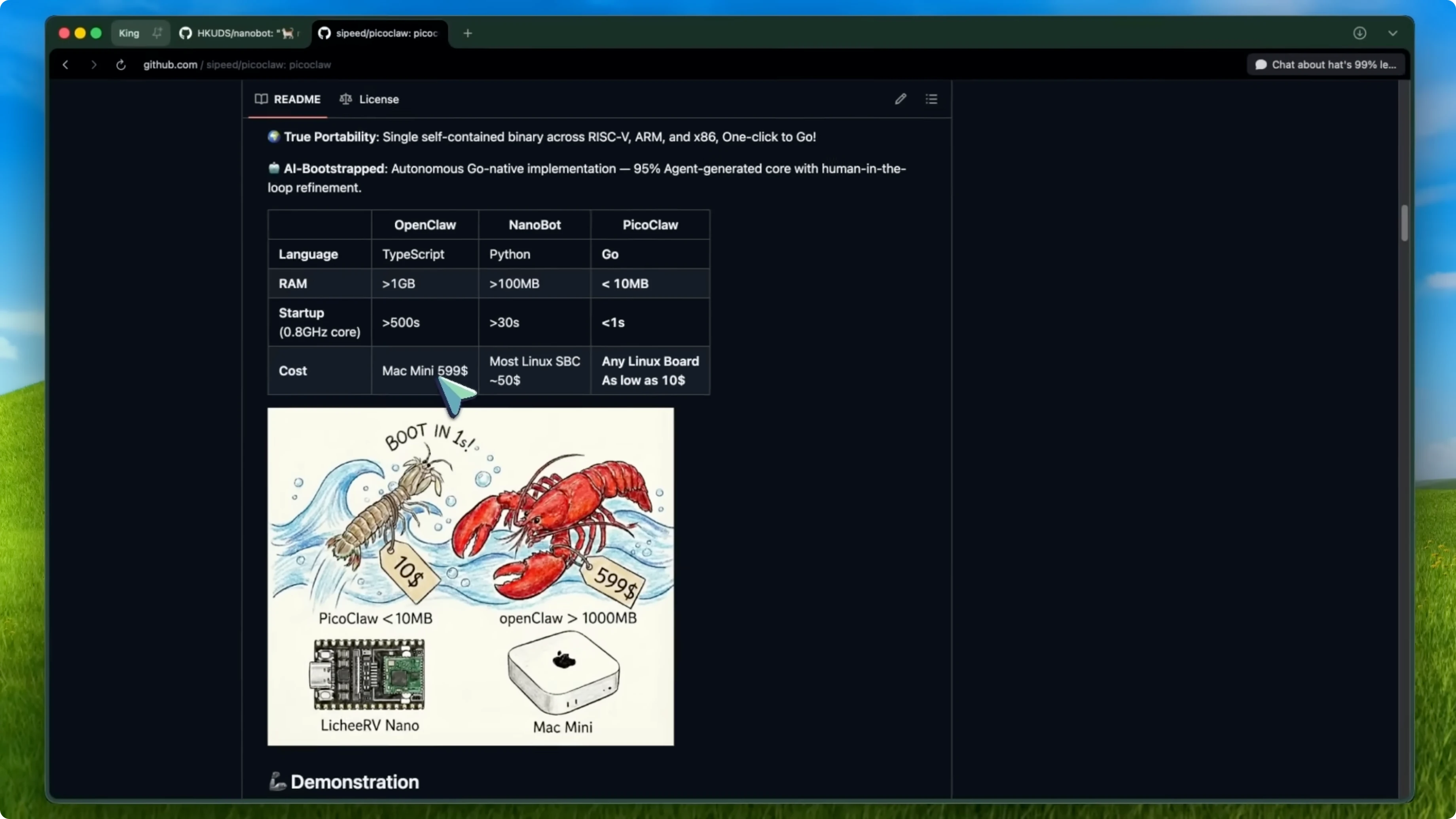
We are talking about hardware that costs less than a lunch. It boots in under one second even on a 0.6 GHz single core processor. Compare that to OpenClaw which takes over 500 seconds to start up.
The way PicoClaw works is clever. It uses what they call a thin agent architecture. Instead of trying to run the model locally, it keeps the local runtime absolutely minimal.
The execution is clean, and running a full AI agent on a $10 board is genuinely impressive. To sum it up, if you want the most feature rich, lightweight alternative to OpenClaw, go with Nanobot. If you want to push the boundaries of how small an AI agent can be or you want to run one on embedded hardware or edge devices, go with PicoClaw.
Read More: Incognito mode
Final thoughts
Both Nanobot and PicoClaw are better engineered than what OpenClaw has become, and neither of them just got acquired by OpenAI. If you are currently using OpenClaw or ClaudeBot or whatever it is being called this week, I would seriously consider migrating sooner rather than later. The security issues alone should be enough to make you reconsider.


